Live polls
A poll is one question, thrown on the wall in the middle of a lecture, answered by whoever is in the room. There is no roster, no schedule and no grade: the people present scan a code with their phones, the answers stack up live on the beamer, and you reveal the correct answer when you decide to. Half the room may not even have an account on the platform.
A poll runs a multiple-choice question or a short-answer question, and nothing else. It is created and started in one move, so there is nothing to prepare beforehand beyond the question itself.
Starting a poll
Click Poll in the sidebar, or open the command palette with Ctrl+K and choose Start a poll. The launcher opens on a page of its own, so you can reach it from wherever you happen to be.
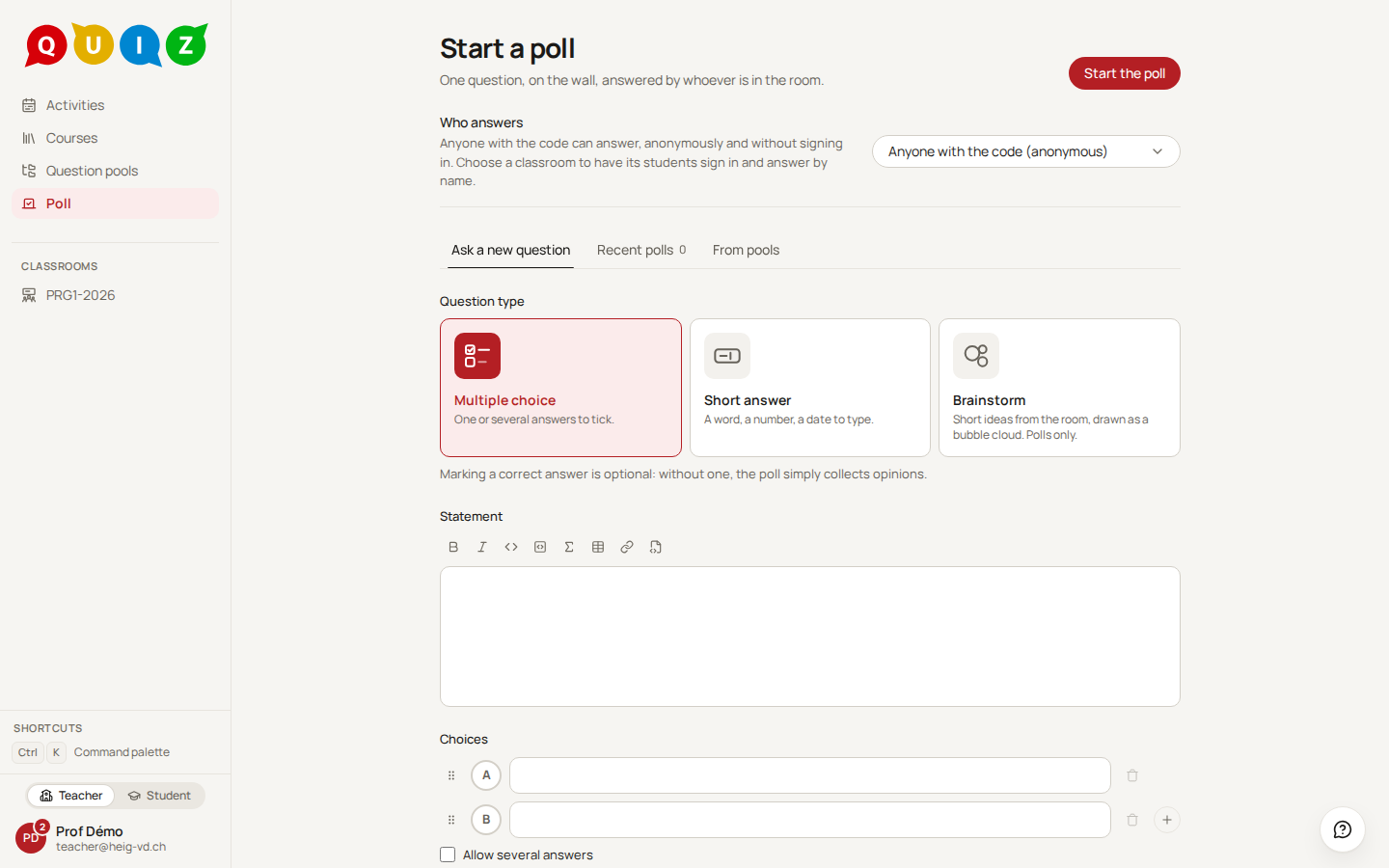
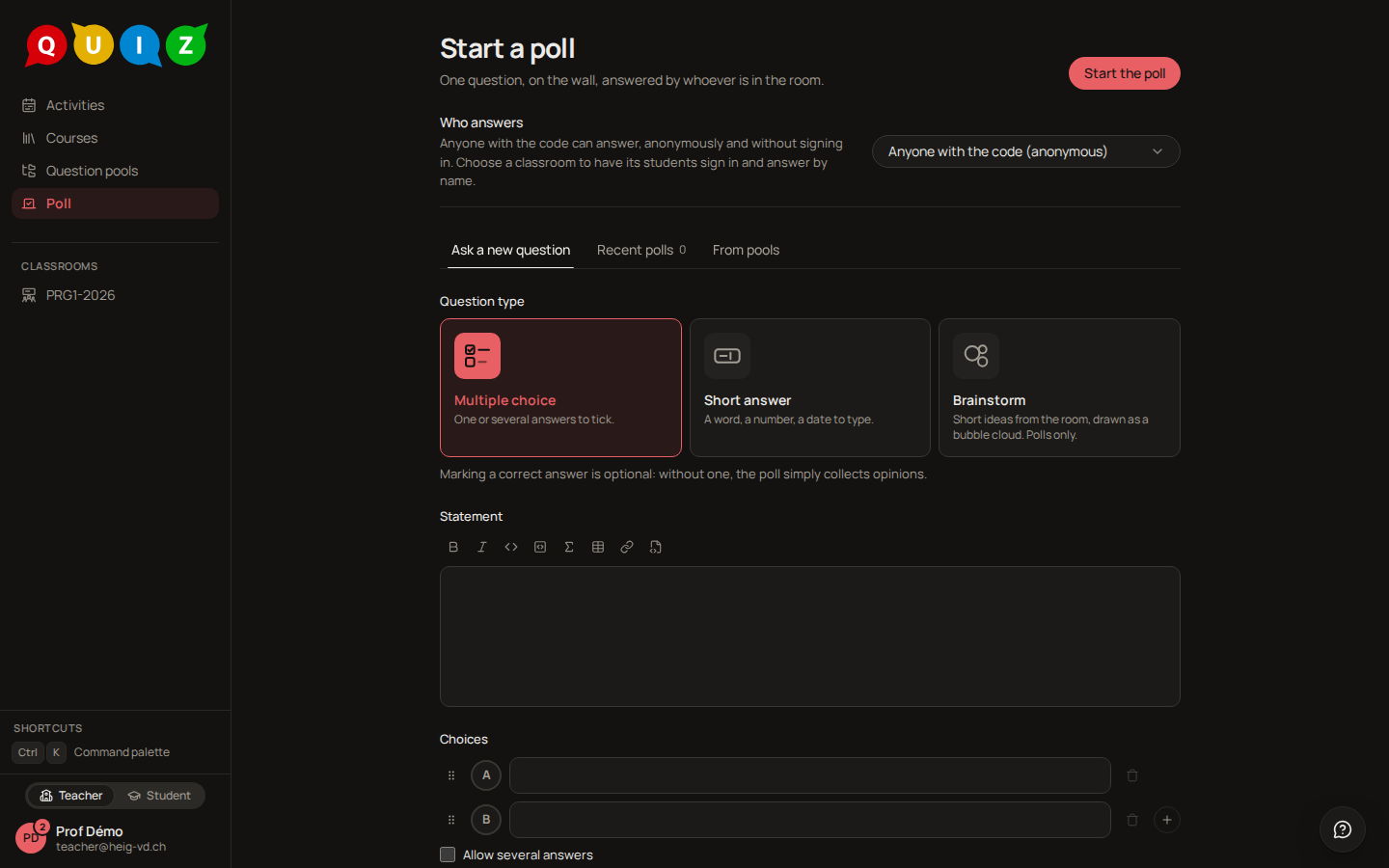
The launcher is often open on the beamer, so it opens on what shows nothing of yours: a blank new question, answered by anyone with the code. Your past polls, your pools and your classrooms appear only when you ask for them.
Who answers sits above the tabs and applies to all of them:
- Anyone with the code (anonymous), the default: no sign-in is needed, and no name is ever shown. The poll belongs to no classroom, so it appears in no evaluation list; its question stays in your Recent polls.
- A classroom: its students sign in and answer by name, and anyone else is turned away. Choose it each time: the launcher never remembers a classroom from one poll to the next.
Three tabs follow, because there are three ways to have a question.
Ask a new question holds the question type's own editor, without anything that only decides a mark. Write the statement and the choices (or the accepted answers), and Start the poll runs it at once. Marking a correct answer is optional: without one, the poll simply collects opinions. Nothing is saved at this point: the question lives with its poll, and in your Recent polls to run again, until you keep it. See question-types.md for what a multiple-choice or a short-answer question can hold.
Recent polls lists the questions of the polls you launched, one row per question, the most recently polled first, including the questions you wrote in the launcher and never kept. Each row shows the internal name, the first line of the statement, how many times it was polled, and, on the right, how its last five runs went:
- a small ring for a question with a correct answer: green for the share who answered right, amber for those who answered wrong, and grey for those on the roster who did not answer at all, with the right share printed in the middle. The grey part only appears when the runs asked who answers: an anonymous poll has no roster, so it shows right and wrong only. Hover or focus the ring for the exact percentages;
- "n answers" instead of a ring for an opinion poll, which has no correct answer.
The questions of your Polls pool that you have never polled come after them. The search box filters by name or statement.
From pools searches the published multiple-choice and short-answer questions of every pool you can reach, with the pool screen's own search. When a classroom answers, it starts on that course's pools, and All pools widens the search.
Select a row, and the primary action becomes Start the poll.
Press Start the poll. The poll is running from that instant and the projection opens.
The projection
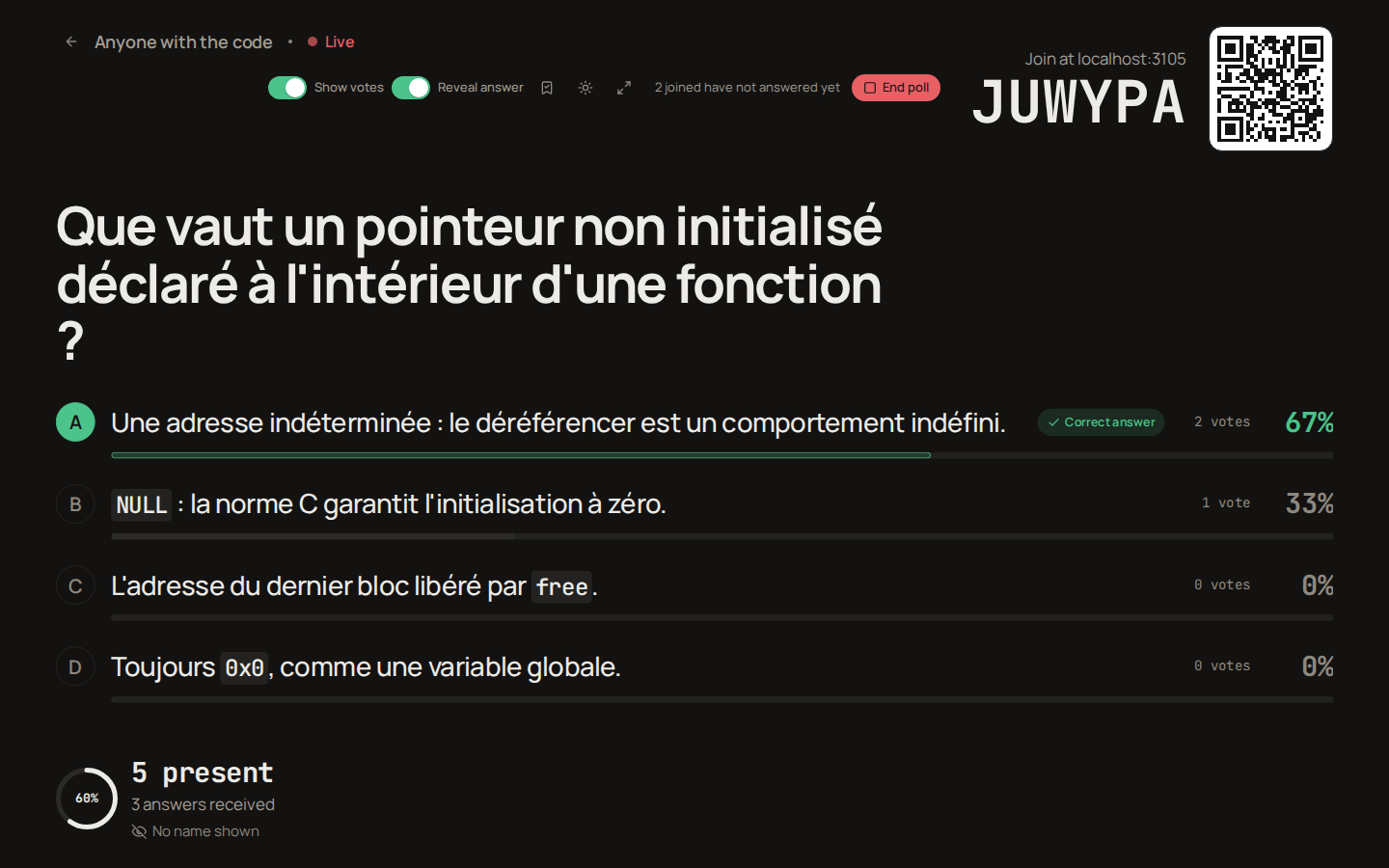
The projection is the one screen of the product that is not a page: no sidebar, no header, dark by default because a beamer throws light. Put this window on the beamer and press the full-screen button at the top right, or the F key. The sun or moon button beside it, or the T key, switches between the dark and the light theme; hovering either button names its key.
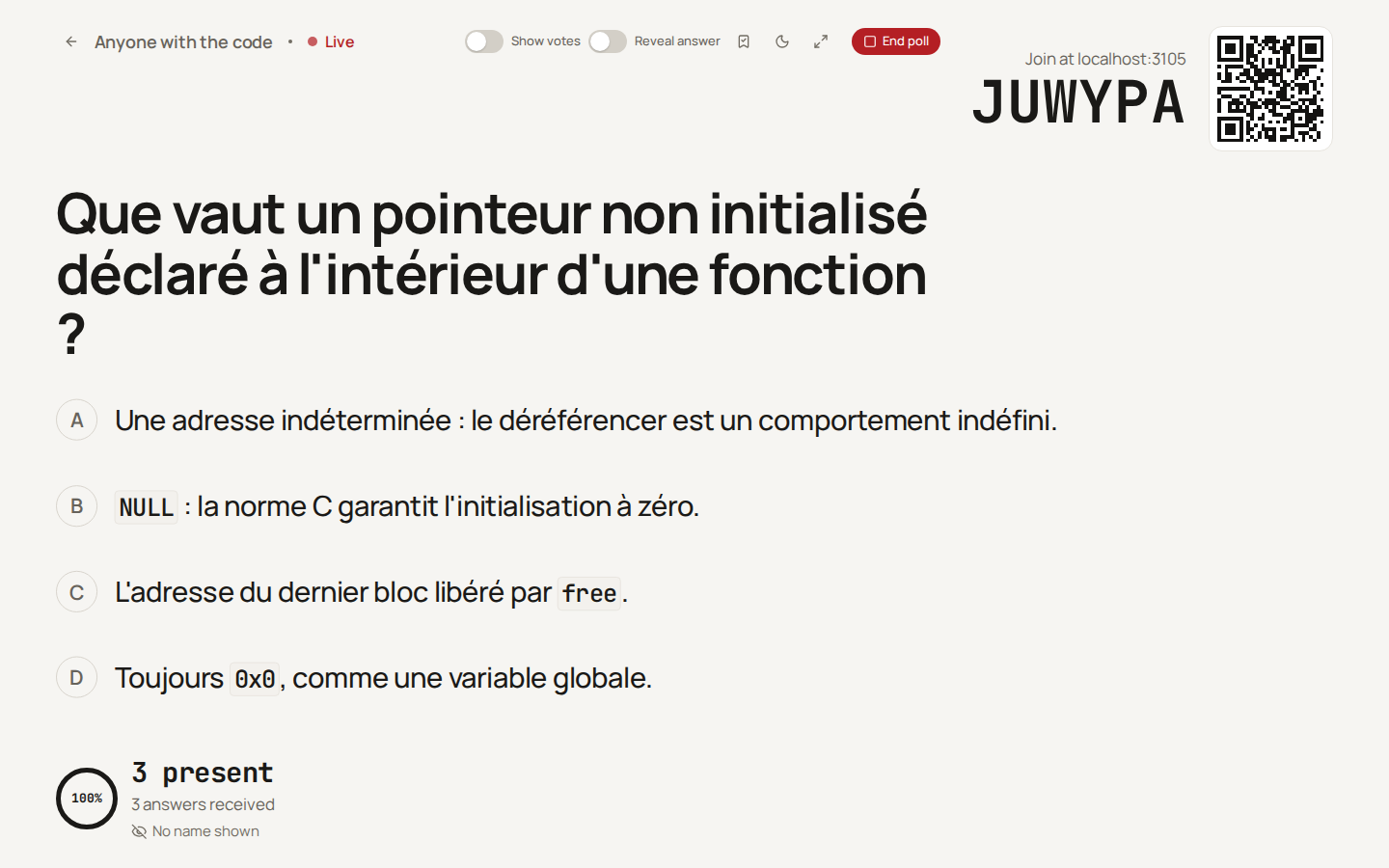
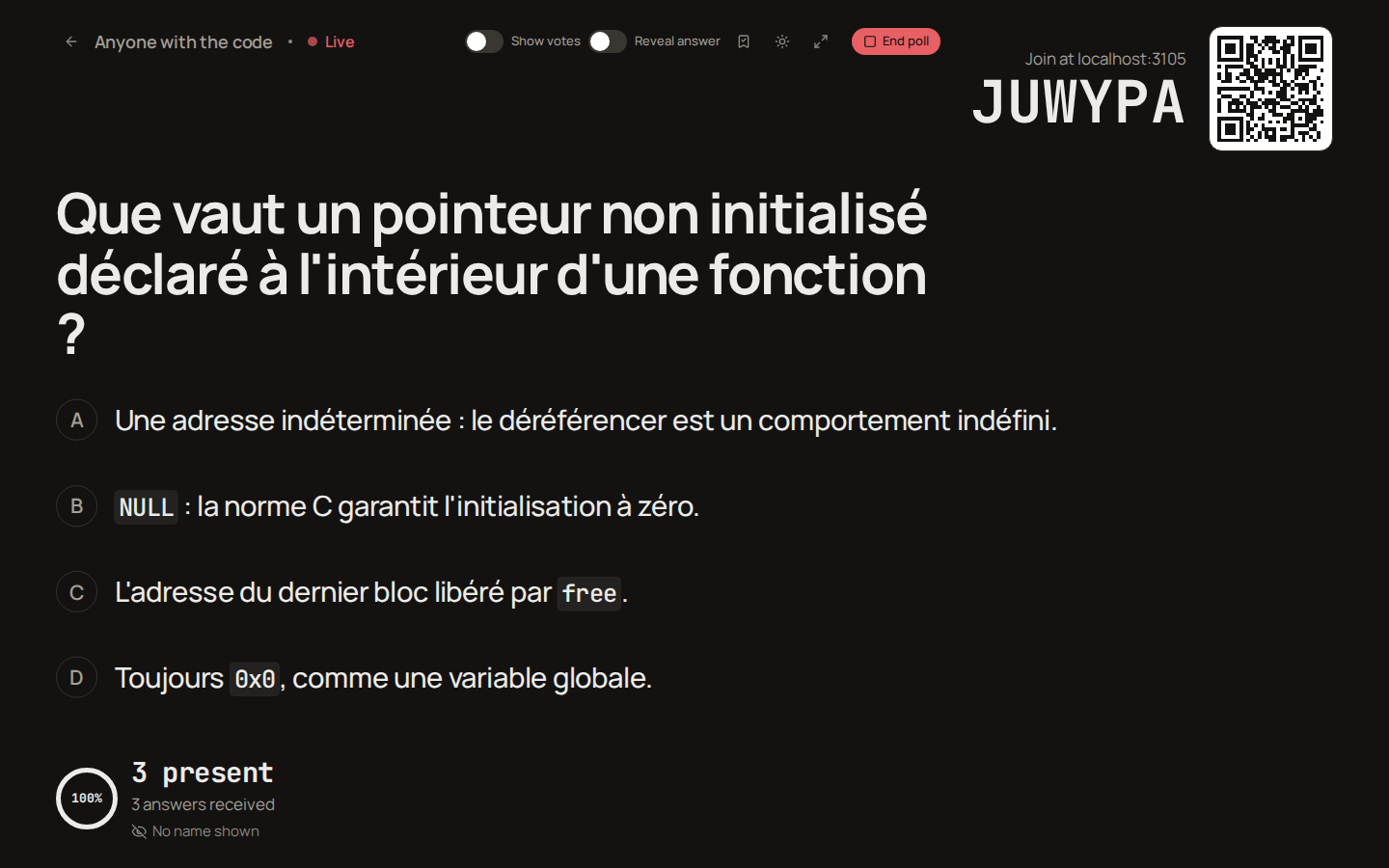
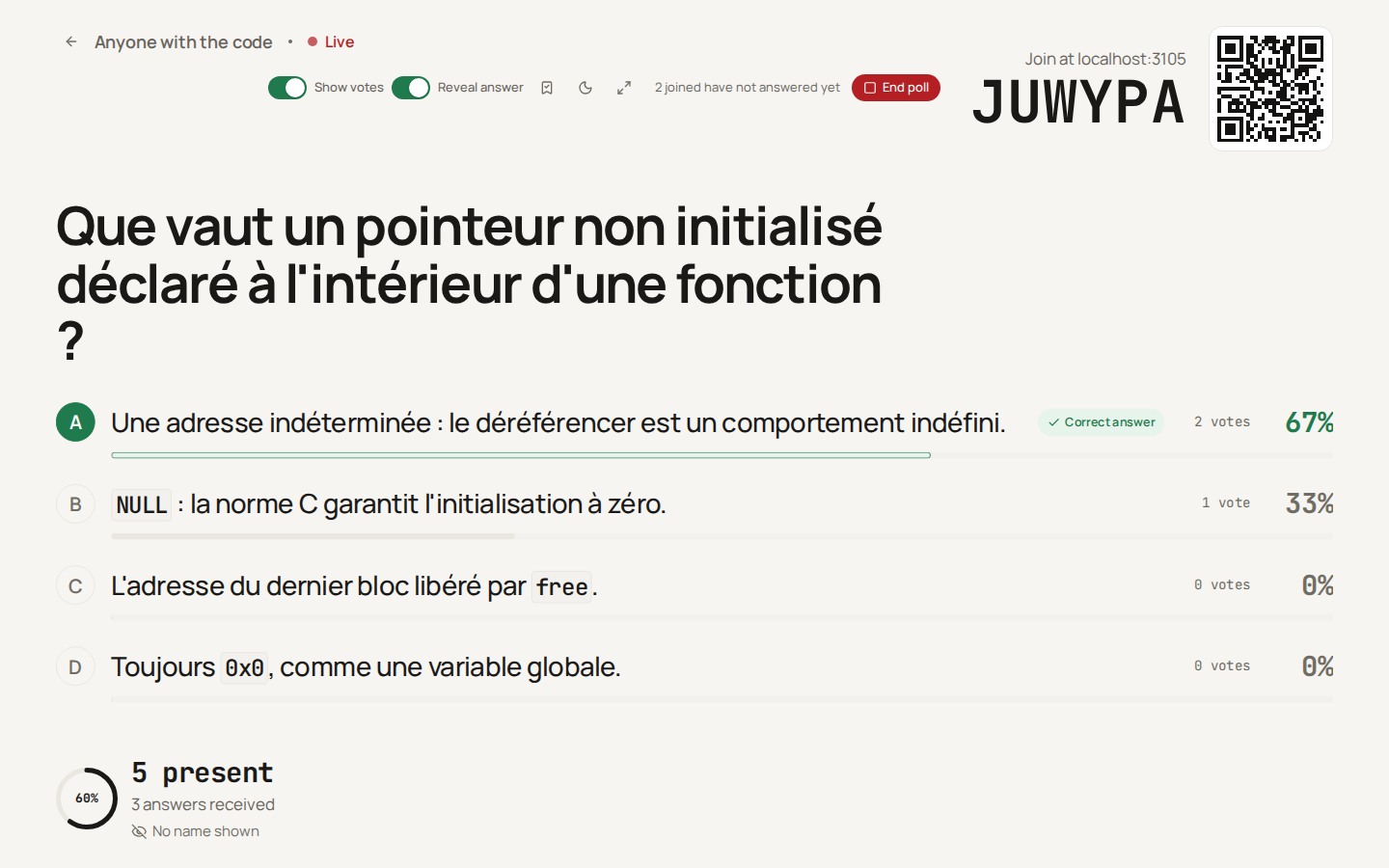
From top to bottom: the course and classroom with a Live pulse, the statement in large type, then one line per choice. While the room votes the votes are hidden: the choices are on the wall, without bars or figures, so that nobody votes like the longest bar. Once shown, each choice gains a bar, the vote count and the percentage. For a short-answer question the distinct answers are listed instead, the most frequent first, folded so that spelling and capitalisation do not split a count; hidden, none is listed. The tally updates by itself as answers arrive.
The footer carries the ring of answers received out of people present, the join address, the six-character session code and its QR code. A crossed eye reminds the room that no name is shown.
The controls at the top right are two switches, Show votes and Reveal answer, a bookmark to Keep this question (for a question written in the launcher), the theme toggle, Full screen, and the primary action, End poll, with the number of people who joined but have not answered yet beside it. The arrow before the course name goes back to the classroom. Nothing else happens on this screen.
The two switches are independent: votes only, answer only, both, or neither. V shows or hides the votes, R reveals or hides the answer. The arrow keys and Page Down / Page Up, which is what a presenter clicker sends, walk the usual order one step at a time: hidden, then the votes, then the votes with the answer. An opinion poll, which has no correct answer, has no Reveal answer switch: its votes are all there is to show.
Note
Neither switch closes the vote: only End poll does. While the poll runs, every phone keeps the question and its Send button, whatever the wall shows, and an answer given after the reveal counts like any other.
Note
Show votes puts the distribution on the wall AND on the phones. It is off when the poll starts, so the majority does not drag the undecided along.
How the room joins
Participants scan the QR code, or type the code into the address /p/CODE of the platform, the same address printed next to the code. The code alphabet has no I, O, 0 or 1, so it can be read from the back of the room and typed on a phone without doubt.
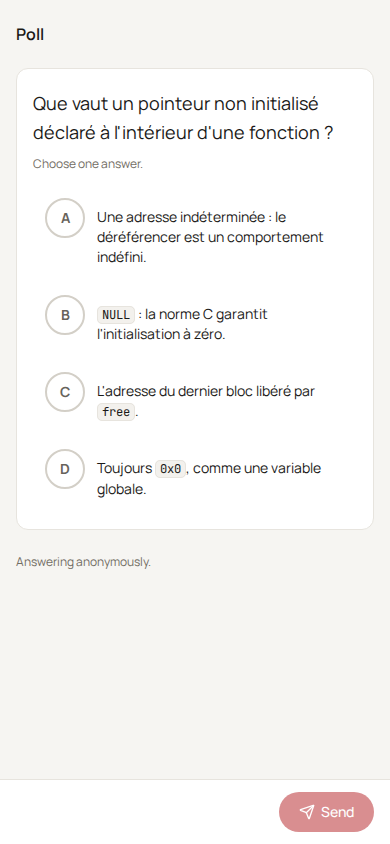
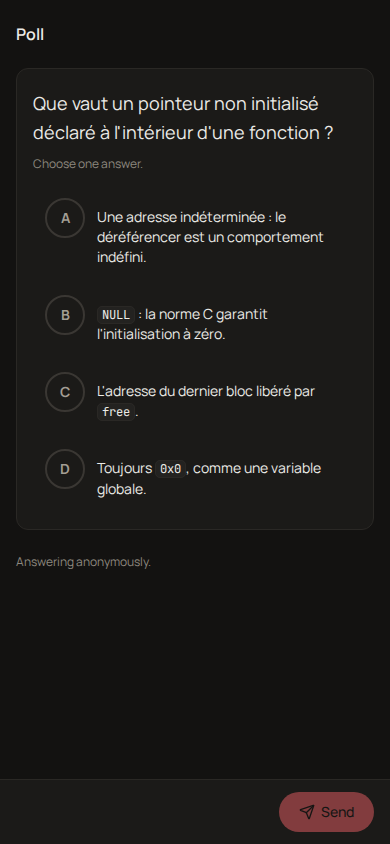
For an anonymous poll there is no sign-in and nothing to accept: the phone shows the question, the participant picks an answer and presses Send. The page says Answering anonymously. underneath. Each browser holds one vote in one poll, kept by a cookie that carries no identity; an answer can be changed with Update as long as the poll runs.
A participant who is signed in on the platform is counted as themselves, and the page says Answering as with their first name. When the poll is not anonymous, a phone without a session is sent to Log in to answer and comes back to the poll afterwards.
Revealing the answer
Switch the control at the top right to Reveal answer, or press R. On the wall, the correct choice turns green with a Correct answer tick and the other bars fade; no row ever turns red, because nobody in the room is being marked wrong.
The phones follow within a few seconds. The question and its Send button stay — the poll is still open — and the correct answer appears under them, without telling anyone whether their own answer was right. Once the poll has ended with the answer revealed, the phone replaces the question with the key and says whether the participant's answer was right; for a short-answer question, the accepted answers and whether the participant's text was among them.
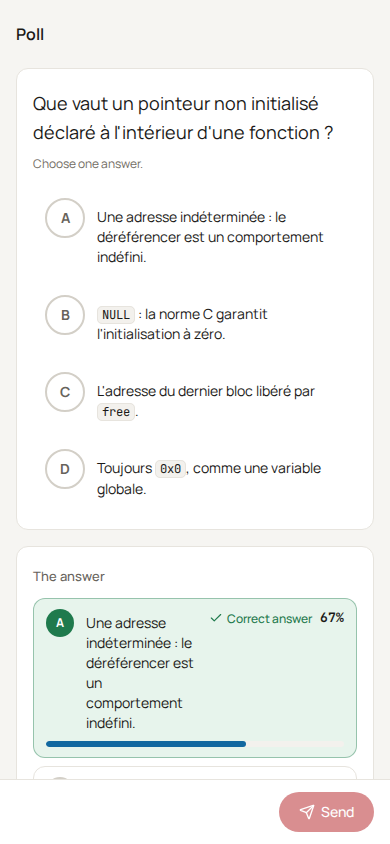
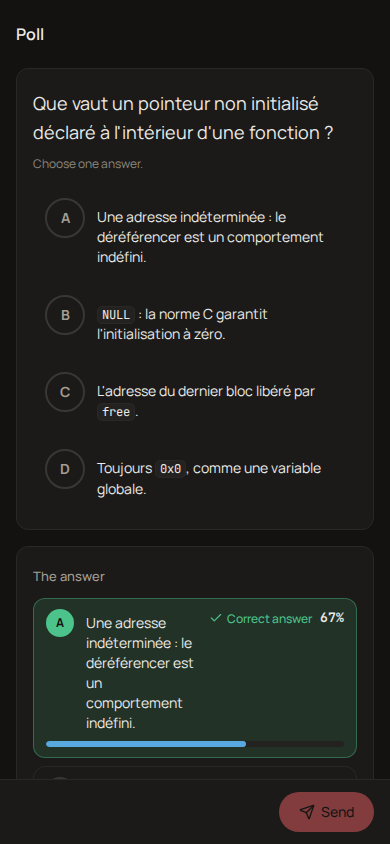
Revealing is reversible: switch Reveal answer off and the key is hidden again, on the wall and on the phones. You can reveal before or after ending the poll.
Ending the poll
End poll, at the top right, asks for confirmation and stops the poll: no further answer is accepted, and a phone whose answer arrives too late is told so. The header reads Poll ended and the primary action becomes Run again, which starts a fresh poll on the same question in the same classroom, with an empty tally and a new code.
Once a multiple-choice poll has ended and its votes are shown, the chart button beside the theme toggle, or the Space key, swaps the bars for one large donut: each choice in its own colour with its letter on its slice, the total of the votes in the middle, and a legend with every percentage. Press Space again for the bars. It changes only the wall; the phones keep what the switches give them.
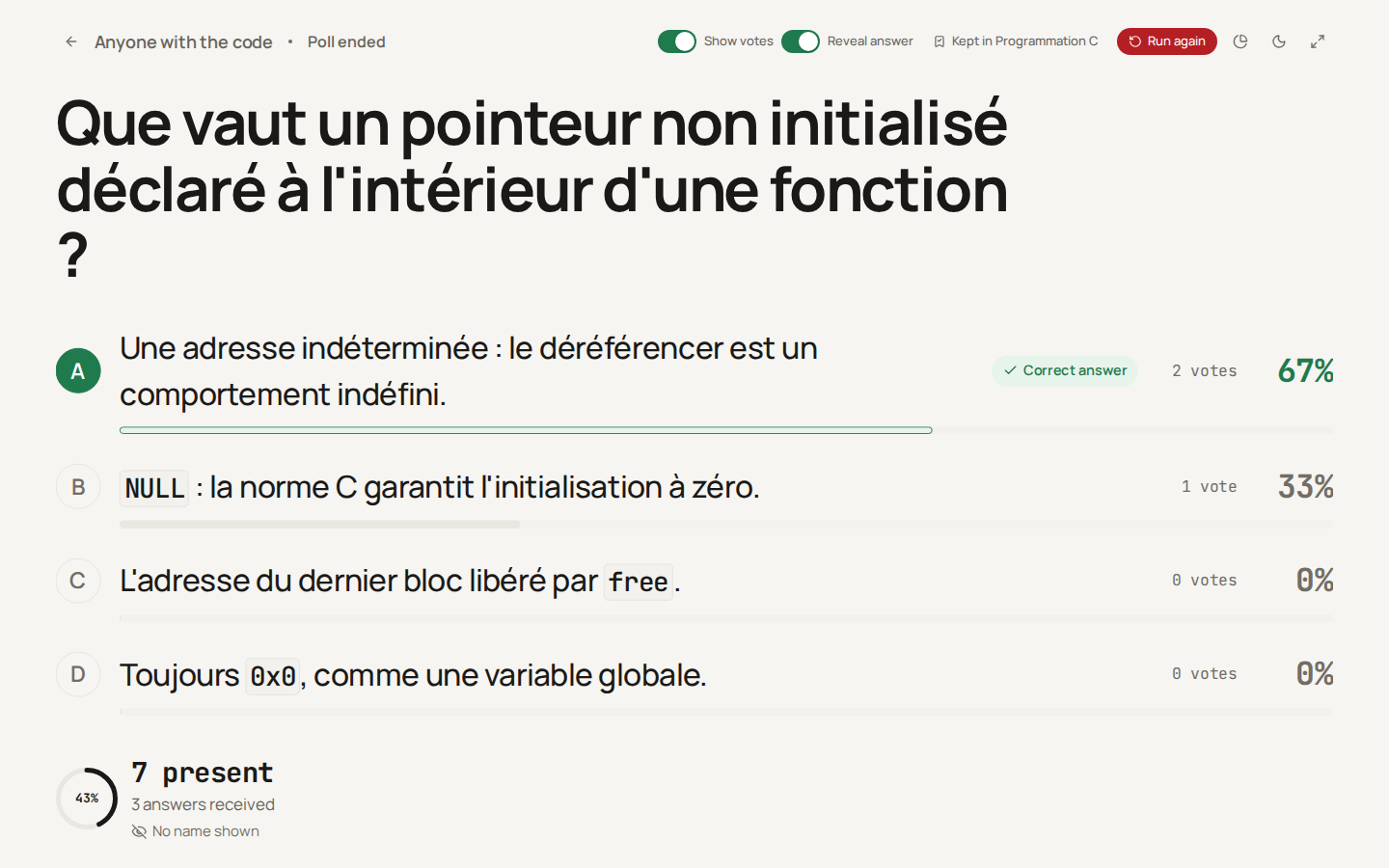
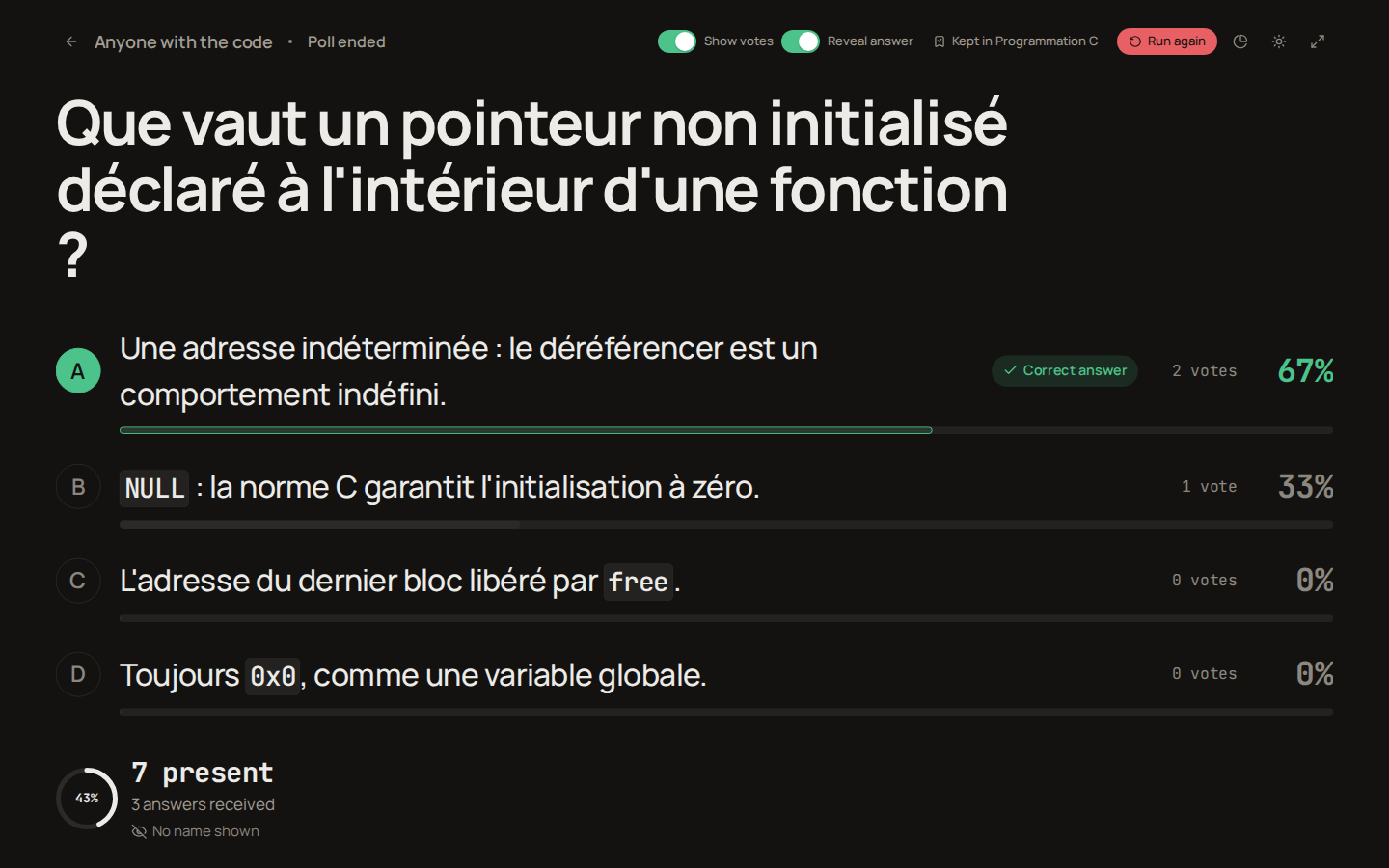
A poll you forget to end ends on its own: once twelve hours have gone by without an answer (counted from the last answer, or from the start or the last switch when nobody answered), the server ends it exactly as End poll would.
The code keeps working for two hours after the end. A phone that reloads the page still gets the question and the revealed answer, so the room keeps the result in hand while you comment on it. After two hours the code is free again.
Thirty days after the end, the participants who answered without an account are deleted, with their answers. You keep the results: the tally, a brainstorm's ideas and the answer counts stay exactly as they were, frozen, and no longer change, even for the participants who were signed in. A brainstorm can no longer be moderated from then on: its board says so and its controls are disabled.
Warning
A poll never puts a grade in the students' results. Ending it closes it and nothing more: the answers are not released, no card appears on a student's home, and nothing about a guest reaches any grade table. The result of a poll is the tally on the beamer.
Where the question lives afterwards
A question written in the launcher is saved nowhere until you say so. Keep this question, the bookmark at the top right while the poll runs or a button beside Run again once it has ended, puts it in your personal pool named Polls, created for you by the first question you keep. The button then reads Kept in Polls and opens the question in its pool. It is an ordinary pool from then on: it shows on your pools page, you can rename it, share it and add questions to it like any other. See classrooms.md for how pools are linked to courses.
A kept question without a correct answer runs polls only. The evaluation's question picker shows it greyed out, marked polls only, and the question editor says so in one line. You can open and read it without adding anything; publishing a new version of it asks for a correct answer, like any pool question.
The poll itself stays in the classroom's evaluation list with the mode Poll, so you can open its projection again later to show the tally, and a signed-in student who answered can find it among their past evaluations. Since a poll is one question, the grading and results screens described in grading.md have little to say about it.
Troubleshooting
The phone says "No poll with this code". Either the poll ended more than two hours ago, or the code was mistyped: remember that the alphabet has no I, O, 0 or 1. Scanning the QR code again avoids the typing.
The QR code points at the wrong address on a LAN. The QR encodes the platform's WEB_URL setting followed by /p/CODE; on a development machine it has to name an address the phones can reach, as explained in ../development/index.md.
Nobody can join a poll that is not anonymous. Participants need an account and a sign-in; for a mixed room, start the poll with Anyone with the code answers switched on.