Question types
Eleven types are available today: multiple choice, short answer, fill in the blanks, code, categorize, blocks, code with image, circuit, essay, diagram and math expression. This chapter walks through the first six; the last five are summed up under More types. All but the essay and the diagram are graded automatically, and all are written in the editor described in Question pools. This chapter covers what each form asks for, how the answer is scored and what the student gets.
Multiple choice
For a question with a closed list of choices, one or several of them correct. Each choice is Markdown like the statement, so a choice can be a line of code or a formula.
The editor
The form is a list of Choices. The letter in front of each one is the toggle that marks it correct (a filled letter is a key), the handle on the left reorders by drag or with the keyboard, and Add a choice or Enter appends one. Two choices at least, twelve at most. The figure in Question pools shows it.
Whether the question is single or multiple is decided by the ticks, not by a setting: one correct choice makes it a single-answer question, two or more make it a multiple-answer question and reveal two more options.
- Scoring policy: how a partly right answer is scored (below). Inherited by default.
- Maximum selections: how many choices a student may tick. Empty means no limit, and it cannot be lower than the number of correct choices.
Never shuffle this question, in the Scoring card, keeps the choices in your order even when the evaluation shuffles choices. Use it when a choice refers to the others.
How it is graded
A single-answer question is all or nothing, unless the evaluation turns on negative marking (below). A multiple-answer question is scored by a policy, resolved through three levels, each overriding the one above it:
- your preference in Settings, which seeds the evaluations you create and nothing else;
- the evaluation, under its advanced options, for every question it plays;
- the question itself, Inherited by default, free to name a policy of its own.
The policies are named below as the editor, the evaluation options and Settings name them, with the wording of the in-app help in parentheses. With C correct choices, W wrong ones, c correct ones ticked and w wrong ones ticked:
| Policy | Score | In words |
|---|---|---|
| Exact (all or nothing) | 1 if the ticked set is the key, else 0 | the exact set of correct choices, or nothing |
| True/false (true/false per choice) | (c + (W - w)) / (C + W) |
every choice is its own true/false item; ticking nothing already scores W / (C + W) |
| Distance (discordances) | d = (C - c) + w: 0 gives 1, 1 gives 0.5, 2 gives 0.2, more gives 0 |
by the number of choices got the wrong way round |
| Symmetric | c/C - w/W |
a wrong tick costs what a right one earns; before the floor at zero, random ticking is worth nothing on average |
| Ripkey | c/C, or 0 as soon as w > 0 |
pays a student who ticks only what they are sure of |
No policy goes below zero: answering is never worse than leaving the question blank. The result is multiplied by the points of the item.
Negative marking is the one exception. It is a switch of the evaluation, not a policy, and when it is on it replaces the policy of every choice question the evaluation plays, single-answer ones included (ADR-026):
- a multiple-answer question scores
c/C - w/W, the Symmetric formula without its floor, from −1 to 1; - a single-answer question scores 1 for the key and
−1/(n − 1)for a wrong choice,nbeing the number of choices; ticking several choices is refused while the student answers, and scored as wrong; - no answer scores 0, which is what Clear my selection is for.
A question may then be worth negative points; only the total of the attempt is brought back to 0, and the grade is computed from that total. Students are told before they start and on every choice question.
A worked example
Four choices A, B, C and D, of which A and C are correct (C = 2, W = 2). Every policy, and negative marking, depends only on c and w, so the sixteen possible answers fall into nine cases:
c |
w |
Answers (A B C D) | Count | Exact | True/false | Distance | Symmetric | Ripkey | Negative marking |
|---|---|---|---|---|---|---|---|---|---|
| 2 | 0 | 1010 (the key) | 1 | 1 | 1 | 1 | 1 | 1 | 1 |
| 2 | 1 | 1110, 1011 | 2 | 0 | 0.75 | 0.5 | 0.5 | 0 | 0.5 |
| 2 | 2 | 1111 | 1 | 0 | 0.5 | 0.2 | 0 | 0 | 0 |
| 1 | 0 | 1000, 0010 | 2 | 0 | 0.75 | 0.5 | 0.5 | 0.5 | 0.5 |
| 1 | 1 | 1100, 1001, 0110, 0011 | 4 | 0 | 0.5 | 0.2 | 0 | 0 | 0 |
| 1 | 2 | 1101, 0111 | 2 | 0 | 0.25 | 0 | 0 | 0 | −0.5 |
| 0 | 0 | 0000 | 1 | 0 | 0.5 | 0.2 | 0 | 0 | 0 |
| 0 | 1 | 0100, 0001 | 2 | 0 | 0.25 | 0 | 0 | 0 | −0.5 |
| 0 | 2 | 0101 | 1 | 0 | 0 | 0 | 0 | 0 | −1 |
| random ticking, on average | 16 | 0.06 | 0.5 | 0.26 | 0.19 | 0.12 | 0 |
The last row weights each case by its count: it is what a student who ticks every choice on a coin toss earns on average. Three things stand out:
- A blank answer is not always zero. True/false gives 0.5 and Distance 0.2 for ticking nothing, since two of the four choices are then "right".
- Ripkey alone voids the key plus one distractor (
c = 2,w = 1): the other partial policies keep half or more. - Symmetric still pays for guessing. Its formula is worth nothing on average, but the floor turns every negative case into 0, and random ticking then earns 0.19. Negative marking keeps those negative cases, and guessing is worth exactly nothing.
What the student sees
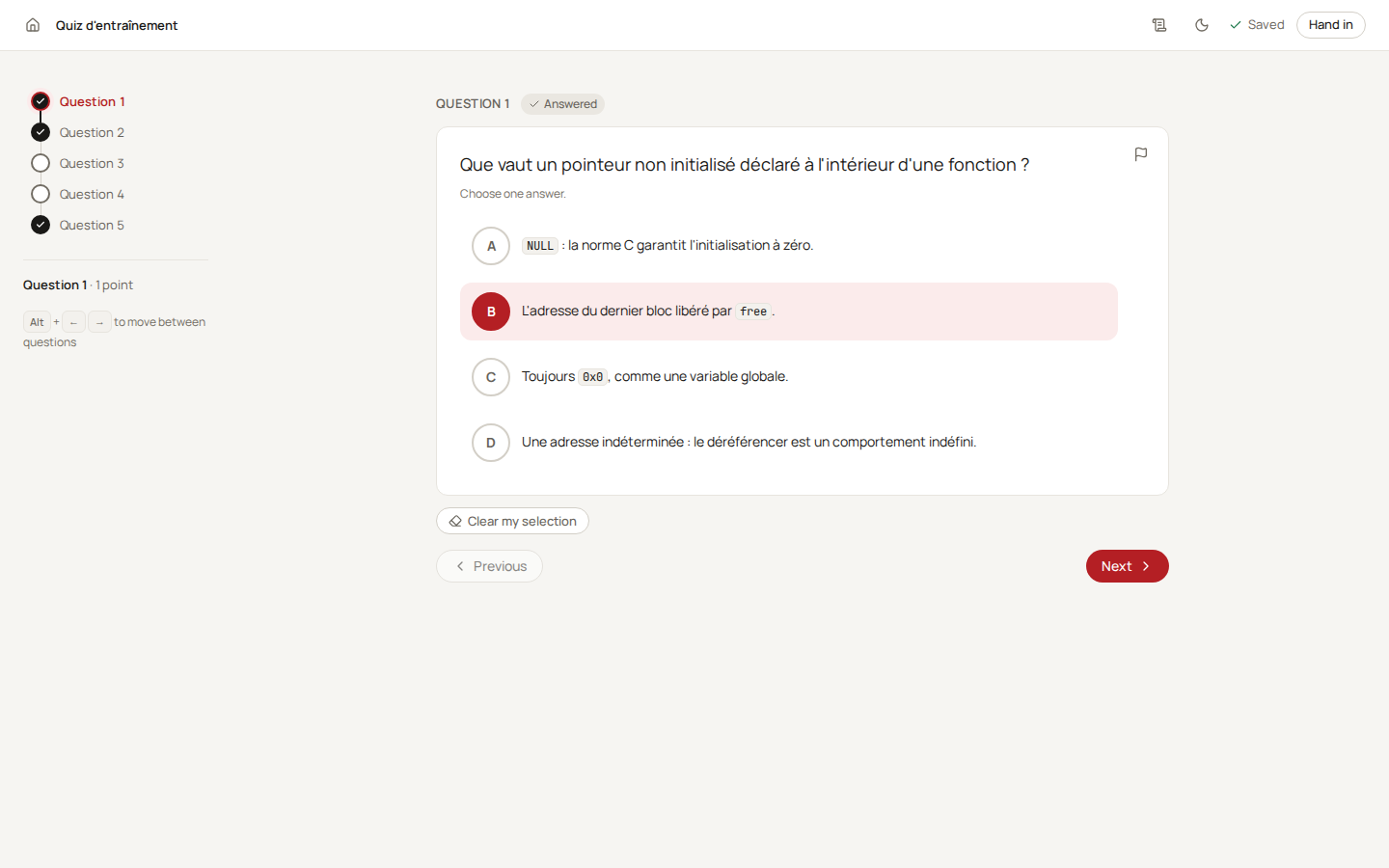
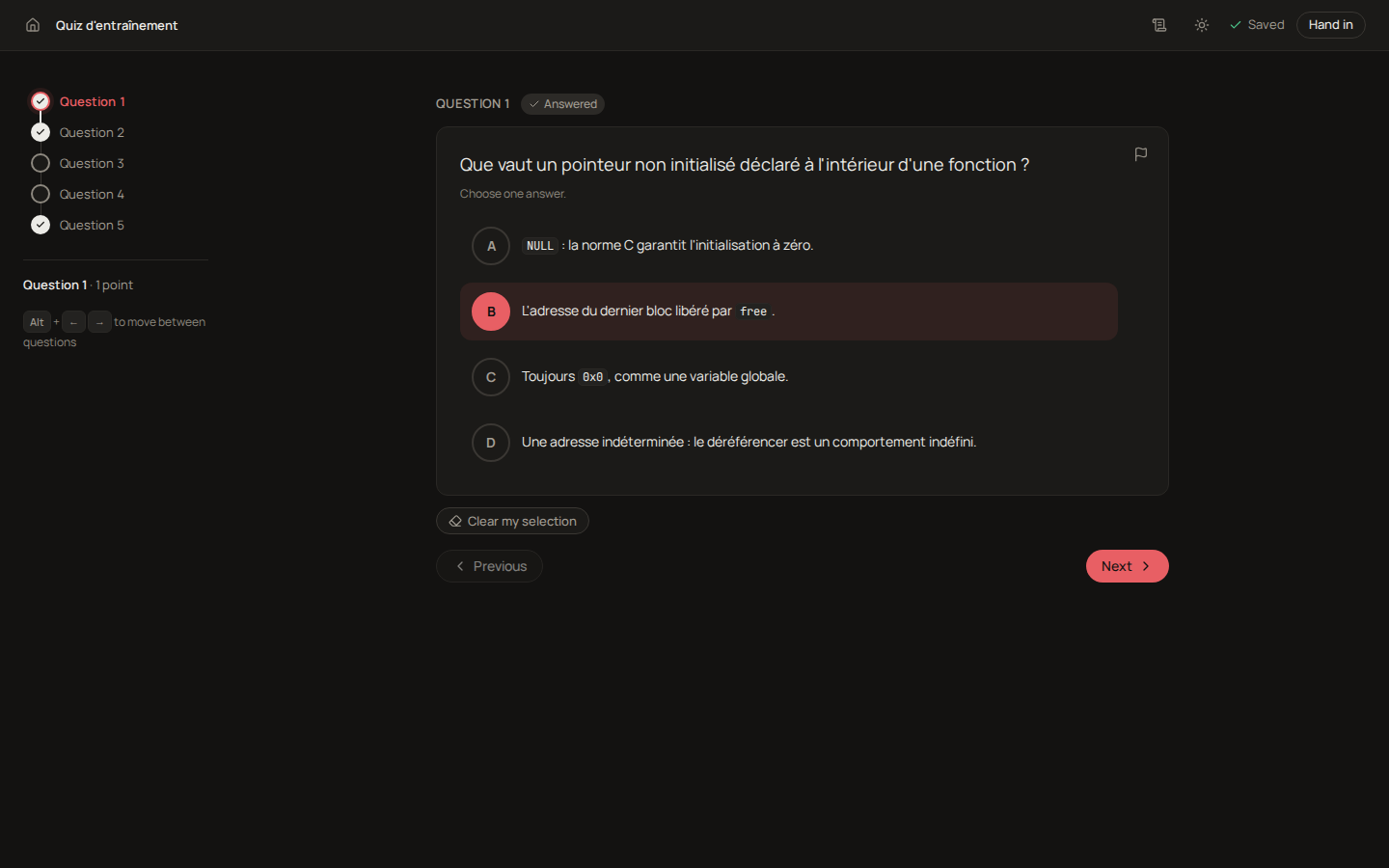
The choices are large buttons with a letter, under the hint Choose one answer. or Choose every correct answer. The letters follow the student's order, not yours, when the evaluation shuffles. The answer is saved as it changes, and the question reads Answered as soon as a choice is ticked. Clear my selection withdraws every choice, which matters when a wrong one costs points.
Tip
Write wrong choices that a student with a specific misconception would pick. A choice nobody picks teaches you nothing in the results.
Short answer
For an answer that is one value: a word, a number, a date or a time. The student types it, the grader compares it to your accepted answers.
The editor
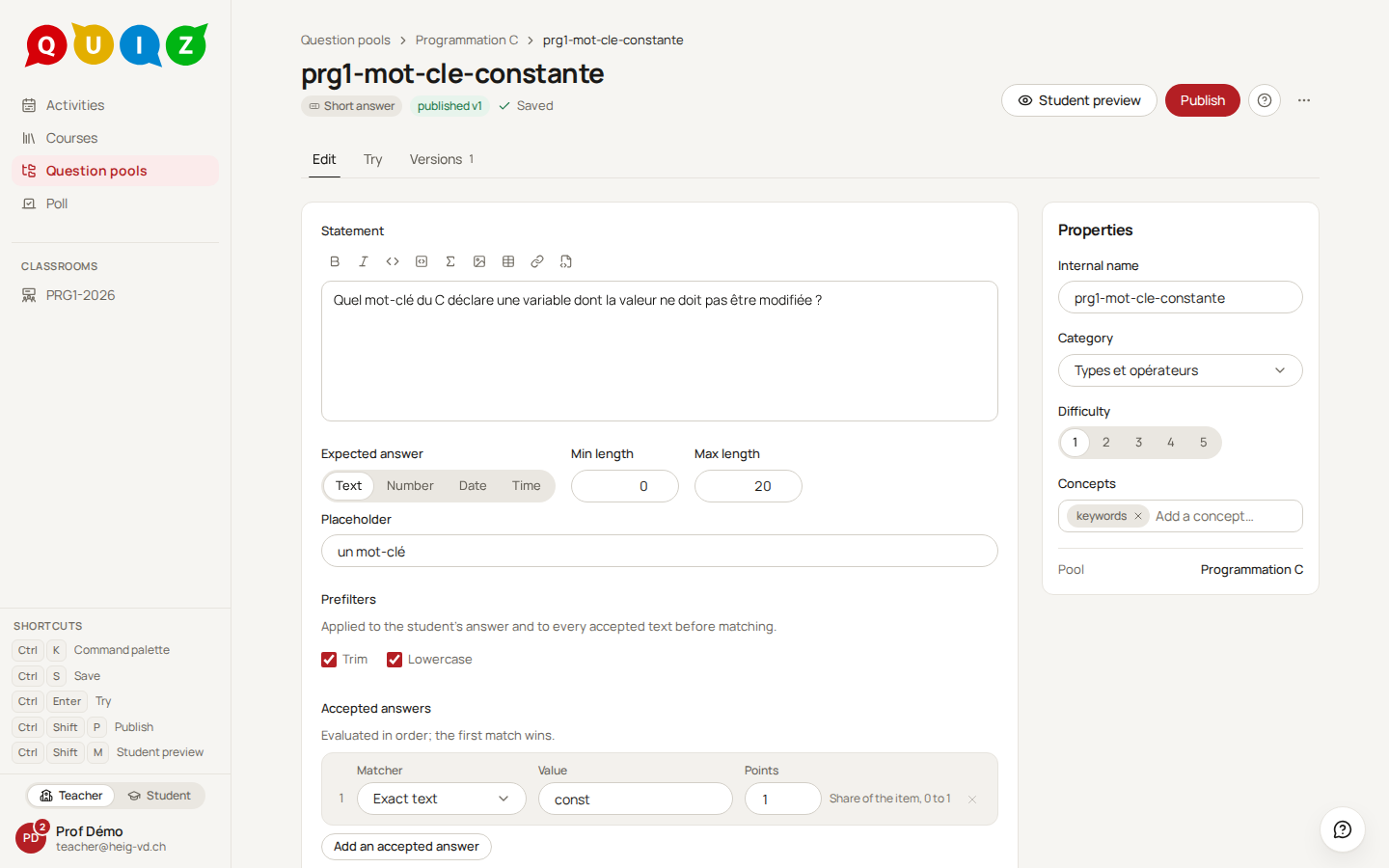
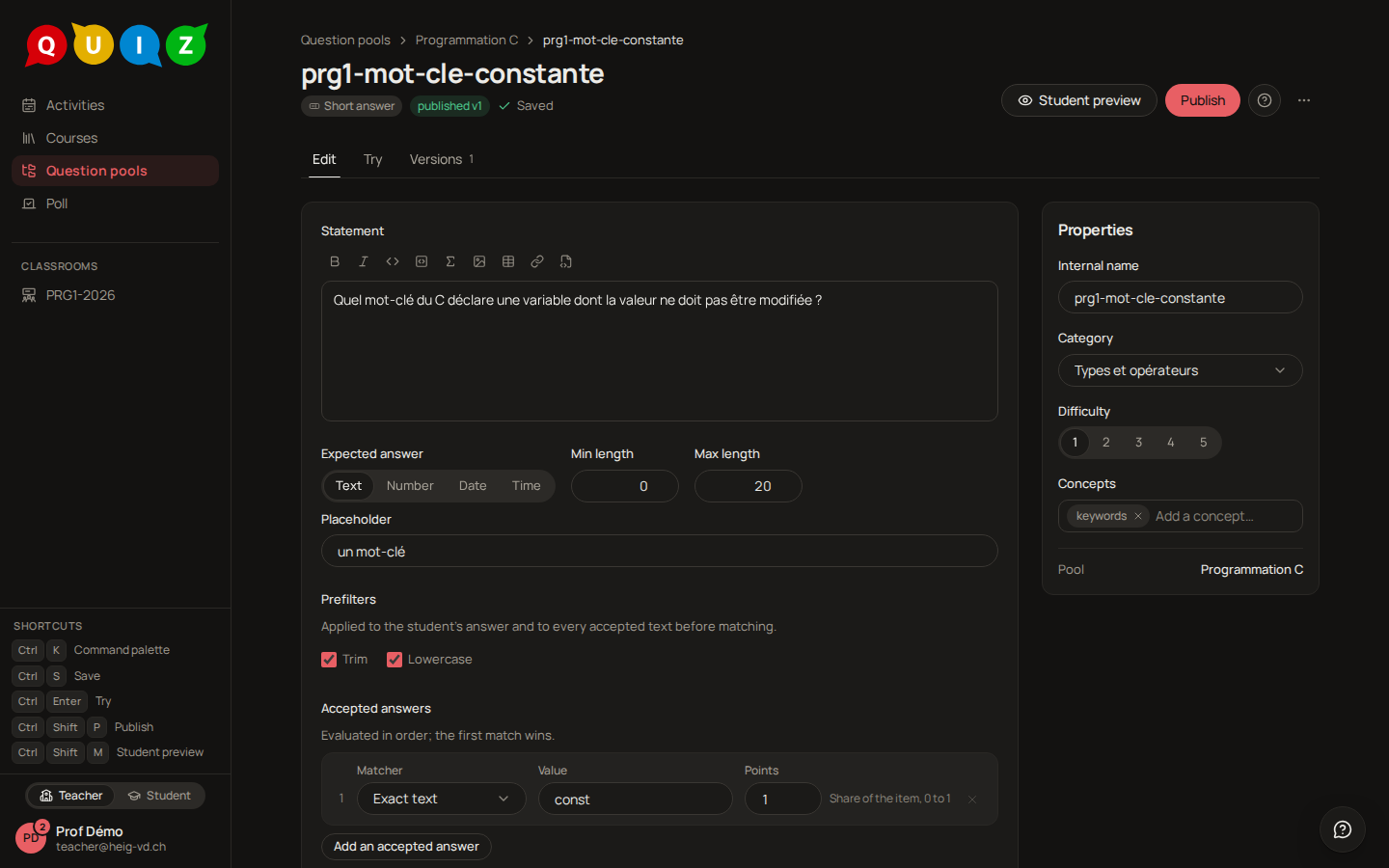
Expected answer picks the kind: Text, Number, Date or Time. It decides what the student's field is, and the constraints on the same line decide what that field takes:
| Kind | Constraints | The student's field |
|---|---|---|
| Text | Min length, Max length (500 at most) | a text field |
| Number | Min, Max, Integer | a number field; a comma or a dot both work |
| Date | From, To | a date field |
| Time | none | a time field |
A constraint says what the field accepts, never what the answer is: the student is stopped while typing, and nothing gives the key away. Only Integer reaches the grade: a non-integer answer to a whole-number question is wrong, whatever the accepted answers say. A Placeholder shows in the empty field.
Prefilters are two normalisations decided once for the whole question, applied to the student's answer and to every accepted text before the comparison. Trim removes leading and trailing spaces; Lowercase compares without regard to case, accents staying significant. Runs of spaces inside an answer are always collapsed to one.
Accepted answers is a list of matchers, evaluated in order; the first that matches wins. Each one carries Points, the share of the item it awards, so a second matcher can accept a partially correct answer for less.
| Matcher | Fields | Accepts |
|---|---|---|
| Exact text | Value | equality after the prefilters |
| Regular expression | Pattern, Flags | a full match on the prefiltered input; the i flag stays the pattern's own. RE2 syntax: a backreference (\1) or a lookaround ((?=…), (?<=…)) is refused at publication |
| Number | Value, Tolerance, Absolute or Relative (%), optional Unit and Unit required | a numeric comparison within the tolerance |
| Date | Value, Tolerance (days) | a date within the window |
| Time | Value, Tolerance (minutes) | a time within the window |
A number matcher whose value is not an integer in an Integer question is refused at publication. The LLM rubric matcher is listed for a later phase and cannot be published yet.
How it is graded
The prefilters run, then the matchers in order. The student earns the points of the first matcher that accepts the answer, and zero when none does. The review shows the student's answer and, when feedback allows it, which matcher accepted it.
What the student sees
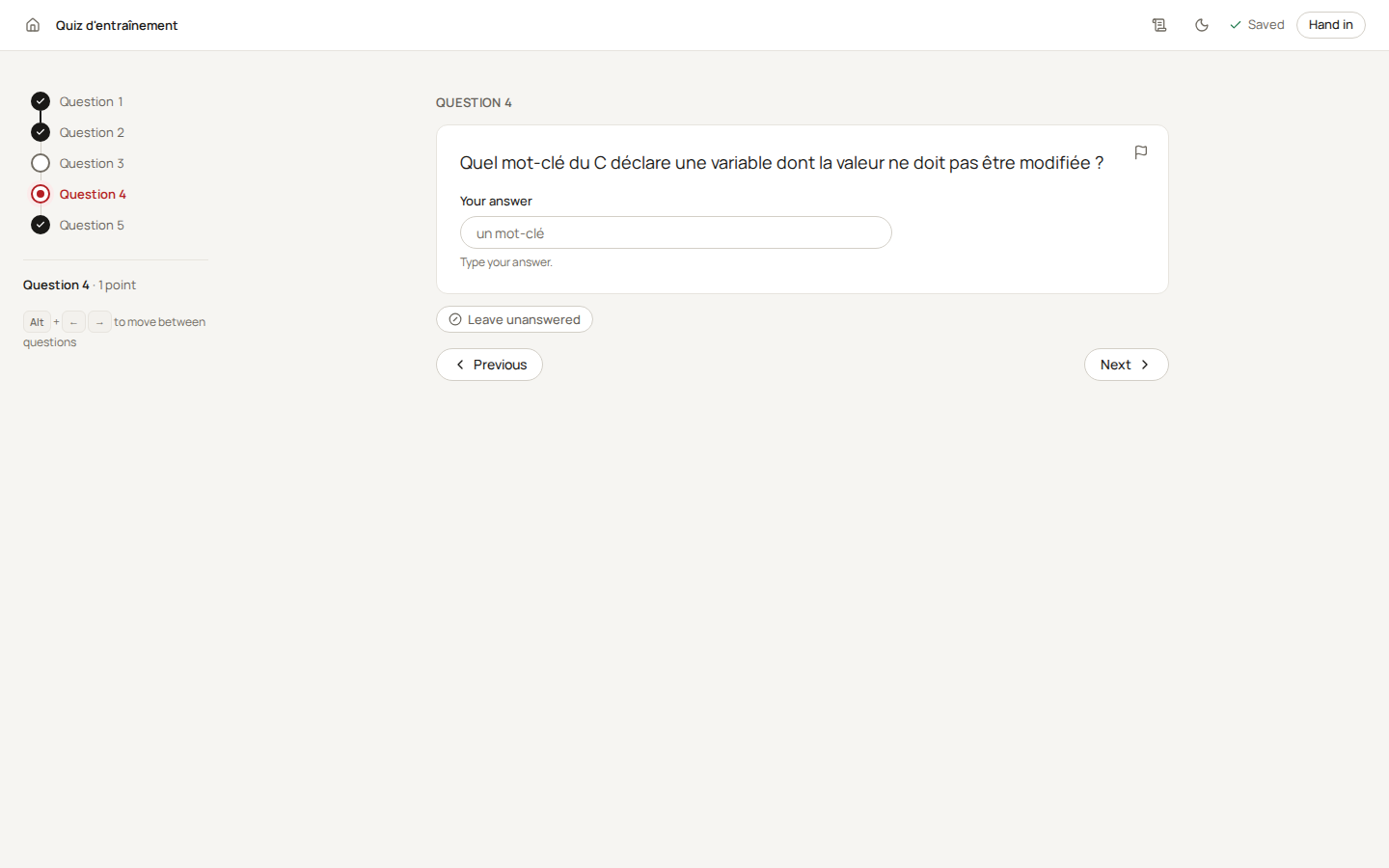
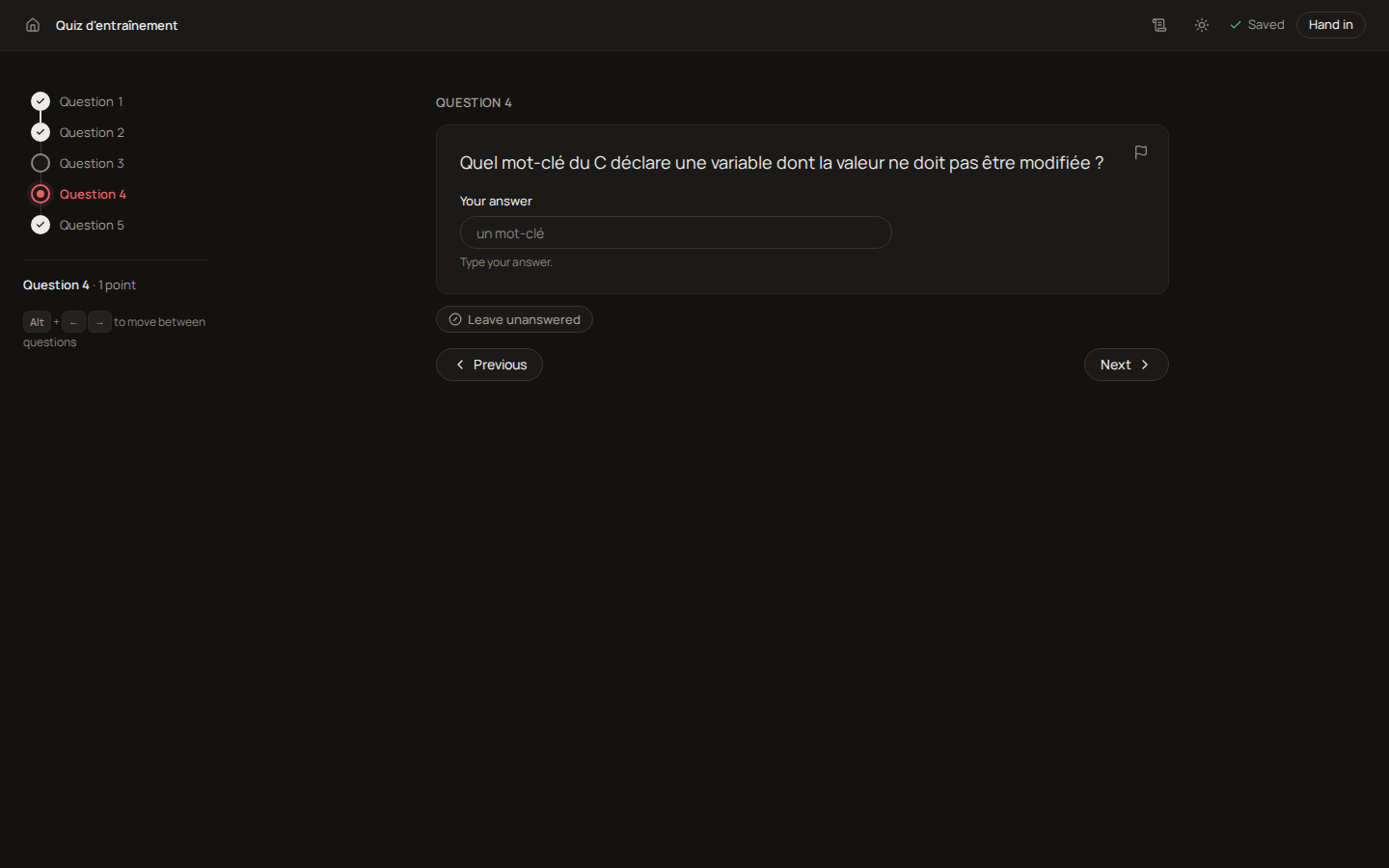
One field under Your answer, with a hint that says what to type.
Tip
Put the most precise matcher first and the most tolerant last. With Lowercase on, const and CONST are the same answer, so one exact matcher usually does; add a regular expression only for genuine spelling variants.
Fill in the blanks
For a text, a formula or a piece of code with holes in it. The student fills each hole; each is graded on its own.
The editor
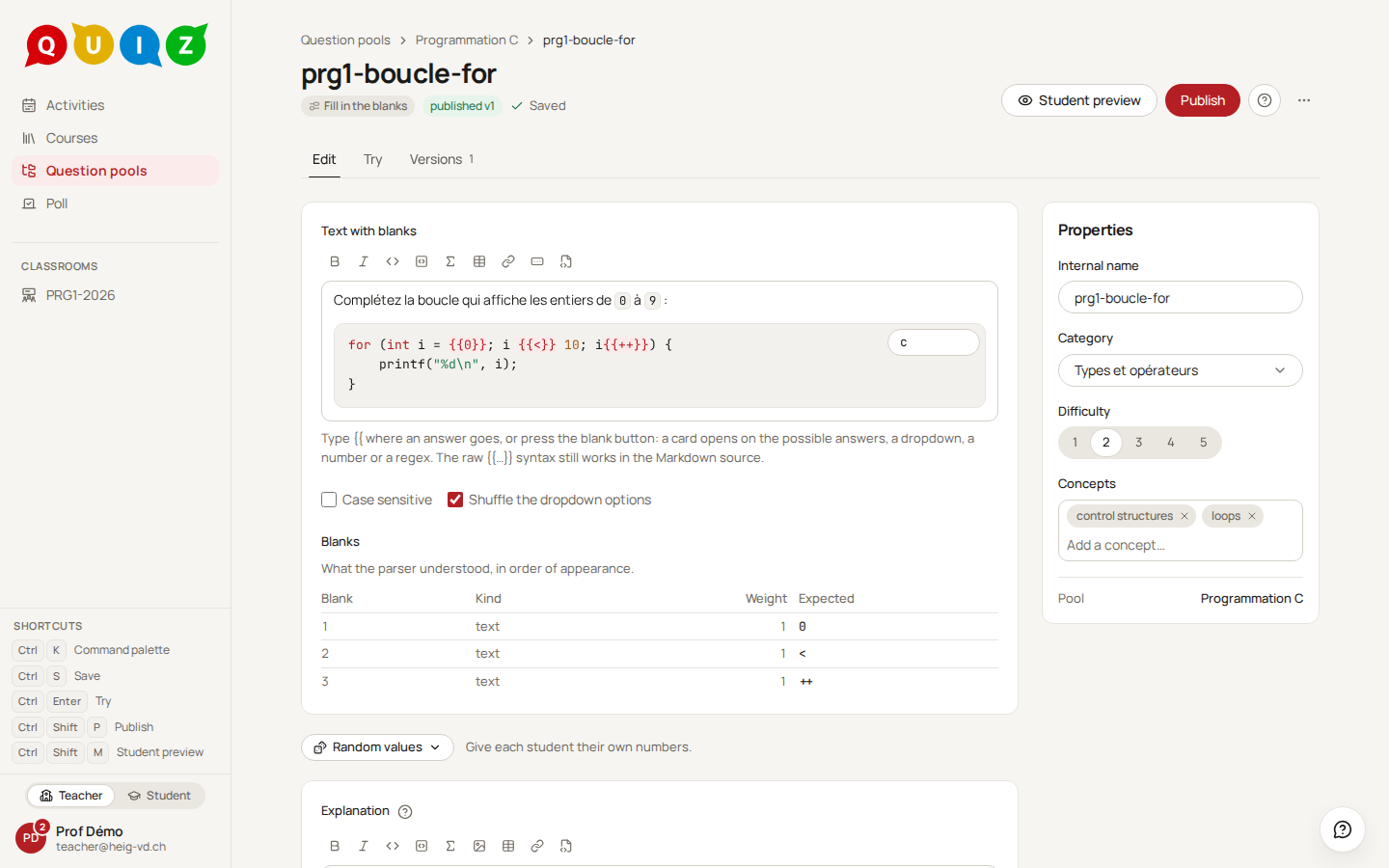
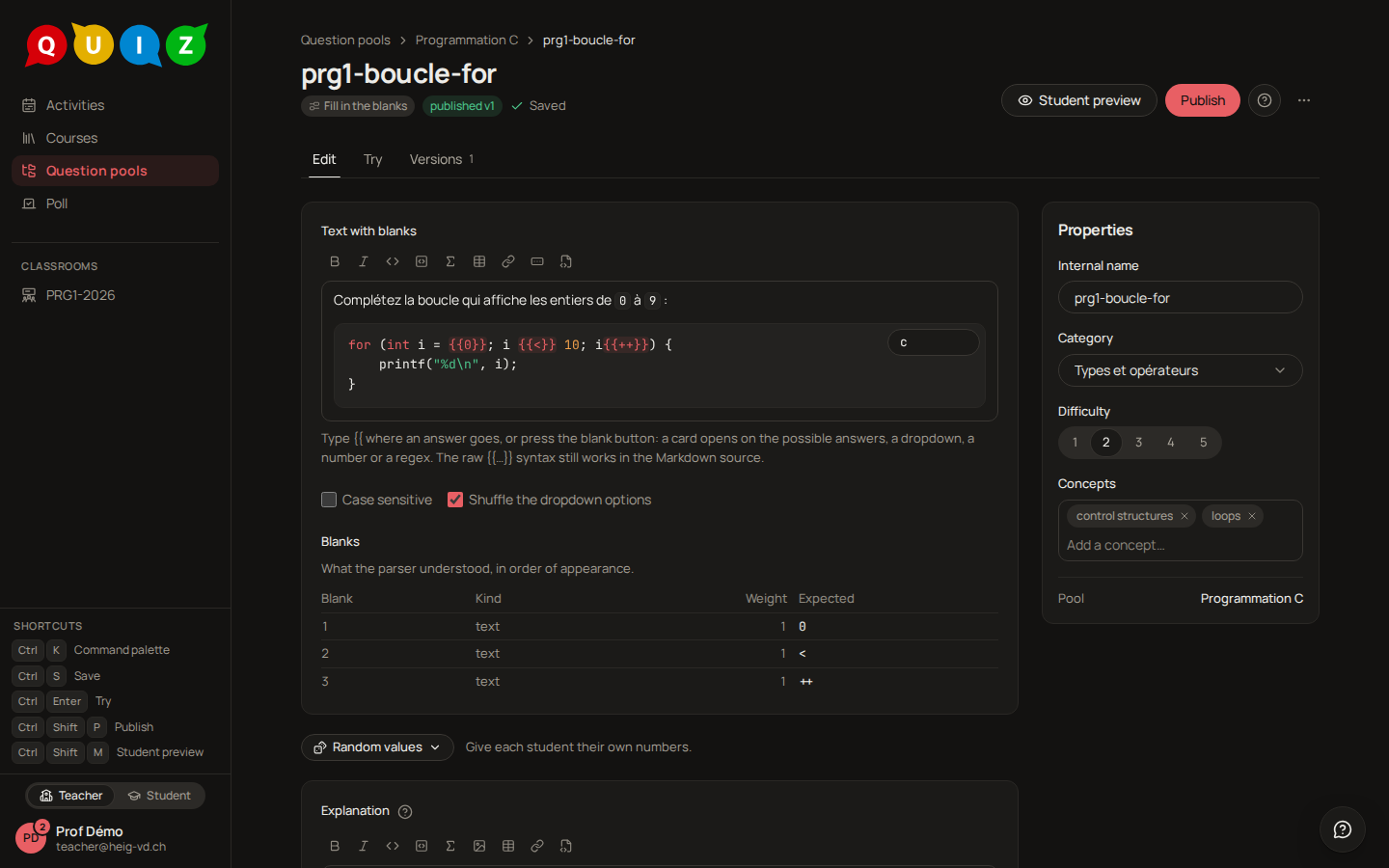
The Text with blanks is the same rich field as any statement, and a blank is an object in it. Type {{, press the blank button in the toolbar (Insert a blank), or click a blank already there: a card opens under it and asks for the Kind of blank:
- Any of these: one accepted answer, or several, one per line, with Add an answer.
- Dropdown: a list of options, the right ones ticked Correct. The student picks from a menu.
- Number: a Value and a Tolerance, absolute (±) or in percent.
- Regex: a Pattern and its Flags.
Every kind takes a Weight, 1 by default, for a blank worth more than the others.
Outside a code block, the chip shows what it stands for at a glance: one answer in red, the first of several answers in blue with a +2, a dropdown with a ▾. Hover it and the whole list appears, ticks included. A blank can sit in a table cell, and it can sit inside a fenced code block, where it stays plain text so that "complete this code" reads as code. The Blanks table under the field lists what the parser understood, in order of appearance, with the kind, the weight and the expected value: if a blank is missing there, it is not a blank yet.
Two options apply to the whole question: Case sensitive, off by default, and Shuffle the dropdown options, on by default.
The raw syntax is what is stored, and the Markdown source button shows it:
| Written | Meaning |
|---|---|
{{Newton}} |
a text field, answer Newton |
{{Newton\|Isaac Newton}} |
accepted alternatives |
{{=Newton\|Maxwell\|Faraday}} |
a dropdown, = marks the correct option |
{{#3.14:0.01}} |
a number with an absolute tolerance |
{{#3.14:1%}} |
a number with a relative tolerance |
{{/^[0-9a-f]+$/i}} |
a regular expression, in the RE2 syntax of the short answer |
{{2*Newton}} |
weight 2 for this blank |
\{{ |
literal braces in the text |
Inside a blank, a backslash makes a punctuation character literal: \|, \}, \*, \\. An answer that starts with #, / or = needs one, or it would become a number, a regex or a dropdown.
How it is graded
Each blank is right or wrong on its own. The score is the sum of the weights of the correct blanks over the sum of all weights, multiplied by the points of the item: three blanks of weight 1 and two right give two thirds of the points. Text is compared after trimming, and without regard to case unless Case sensitive is on.
What the student sees
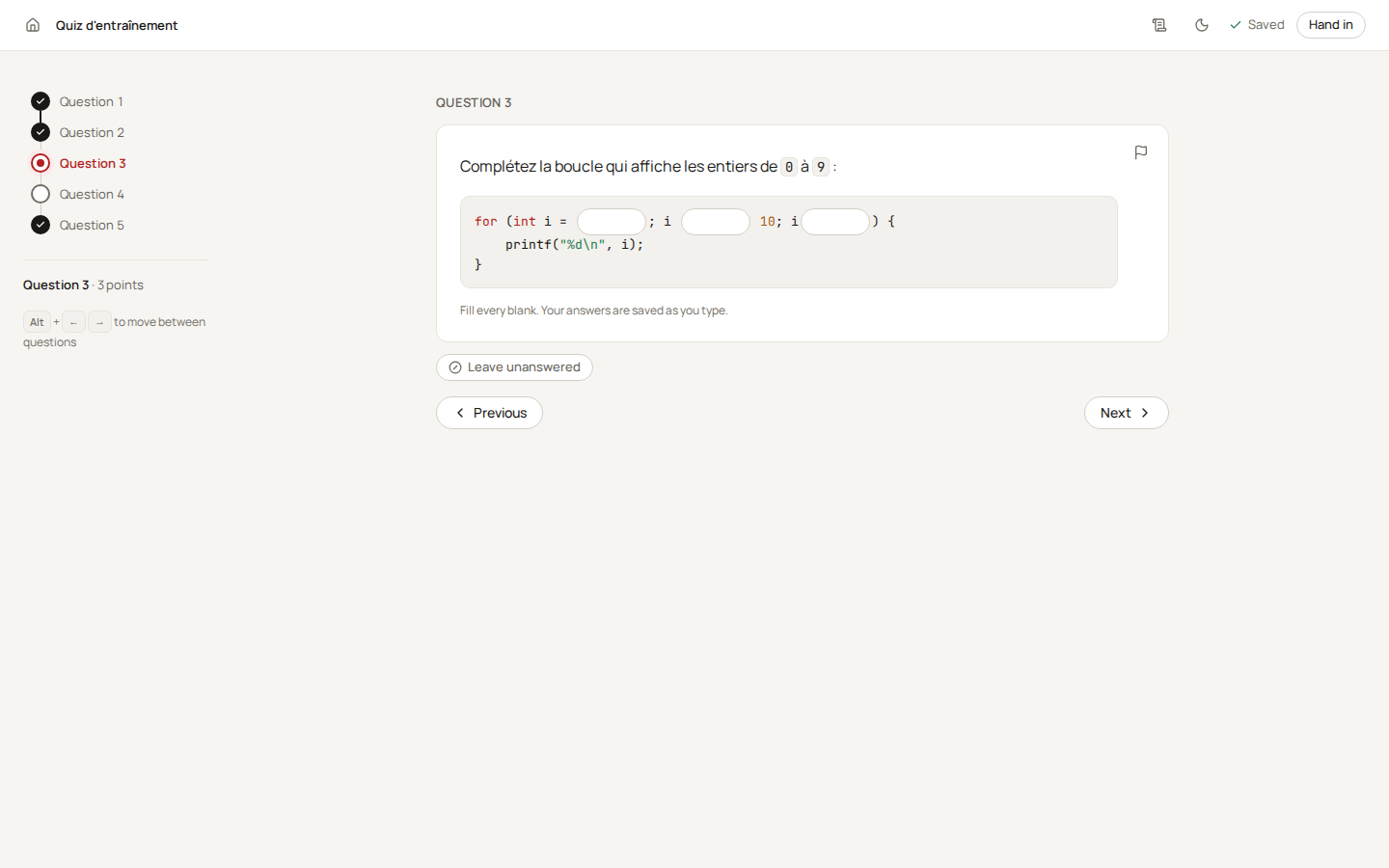
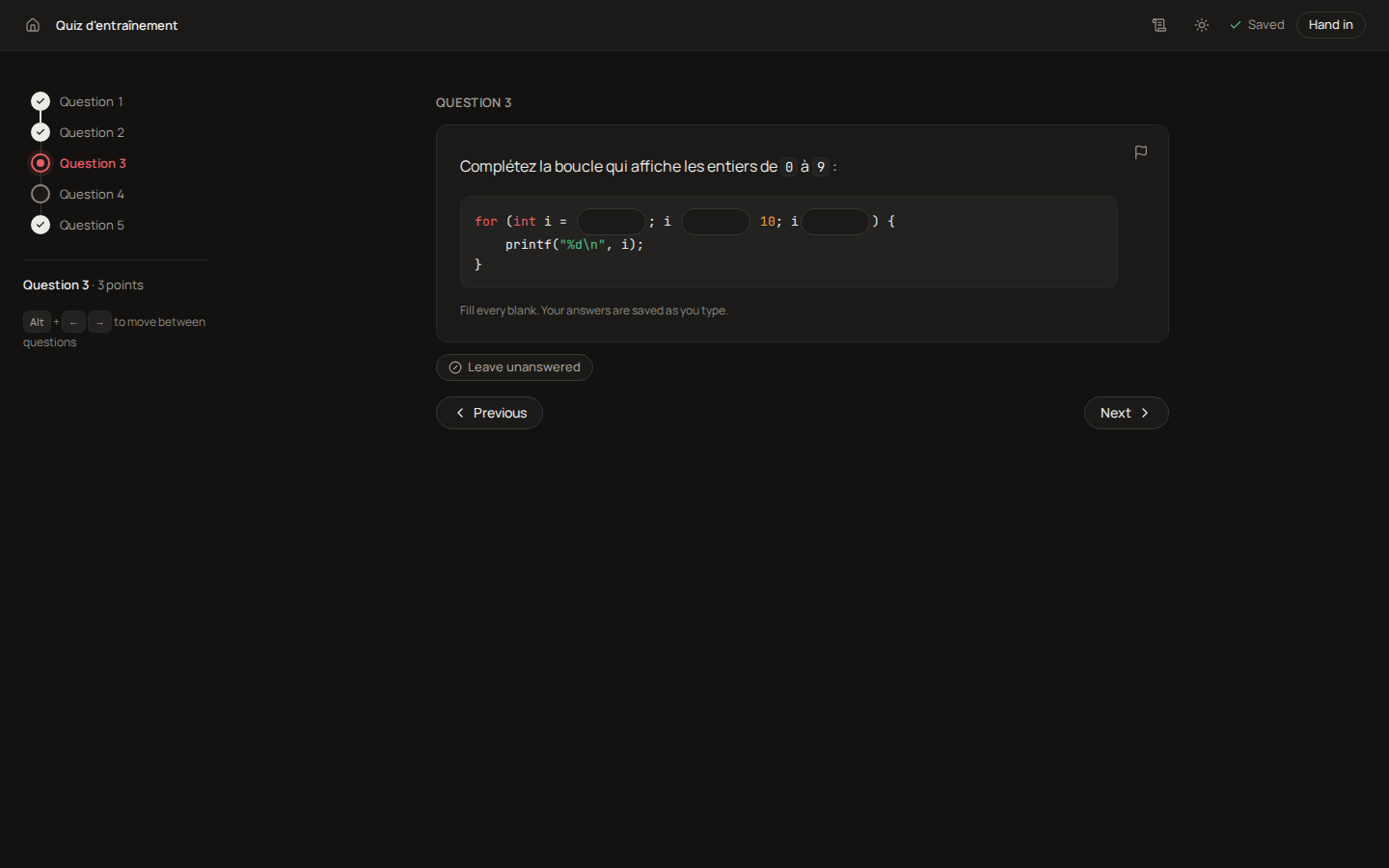
The text as you wrote it, with a field or a menu at each blank, and the note Fill every blank. Your answers are saved as you type. A dropdown shows Choose… until the student picks.
Tip
A dropdown is the right kind when the answer has a small closed set of forms, such as < against <=; a text blank is the right kind when a student should produce the value, not recognise it.
Code
For a program or a function the student writes, compiled and run against test cases. The editable part is yours to delimit, and the student's trial runs and the grade are two different things.
The editor
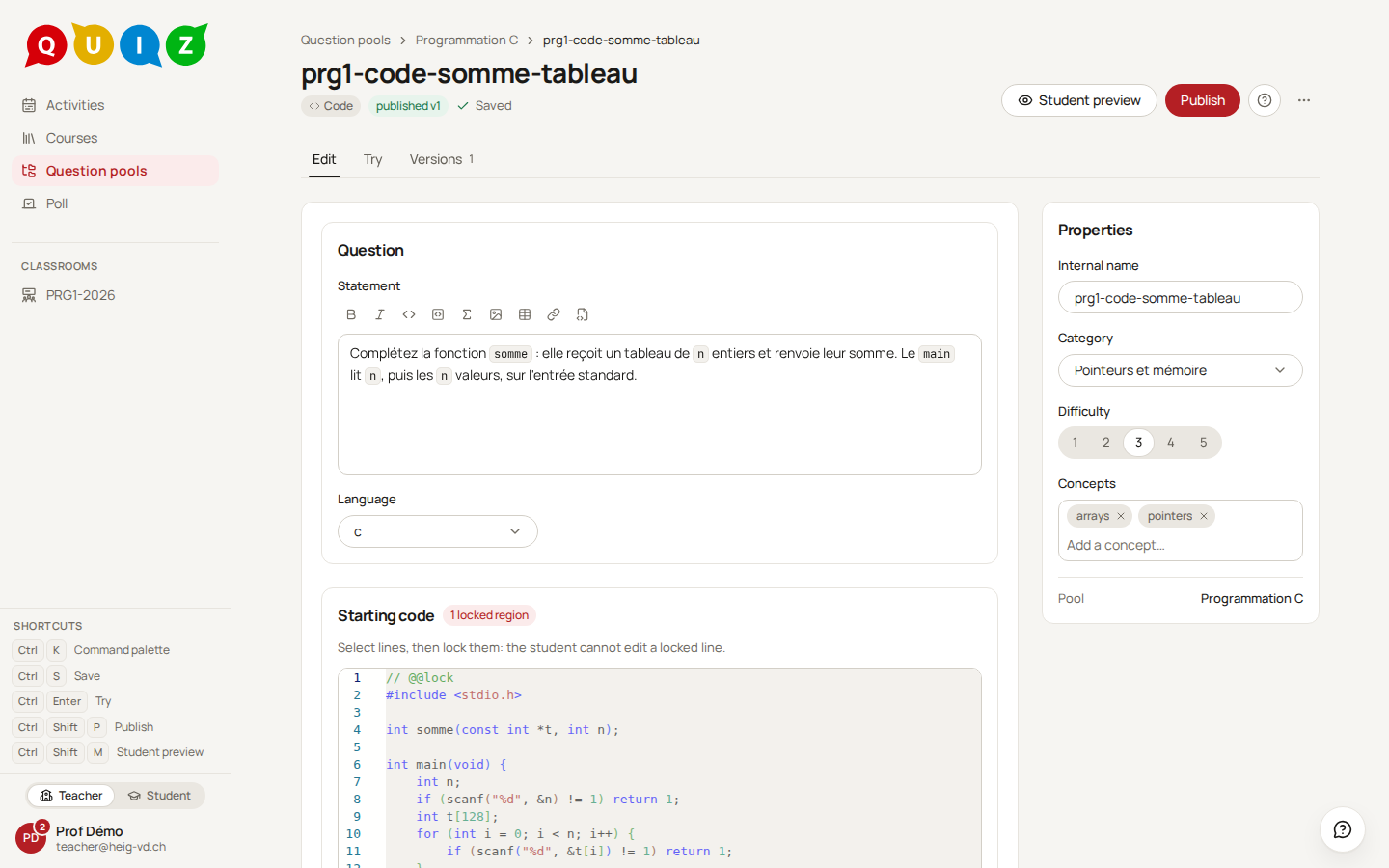
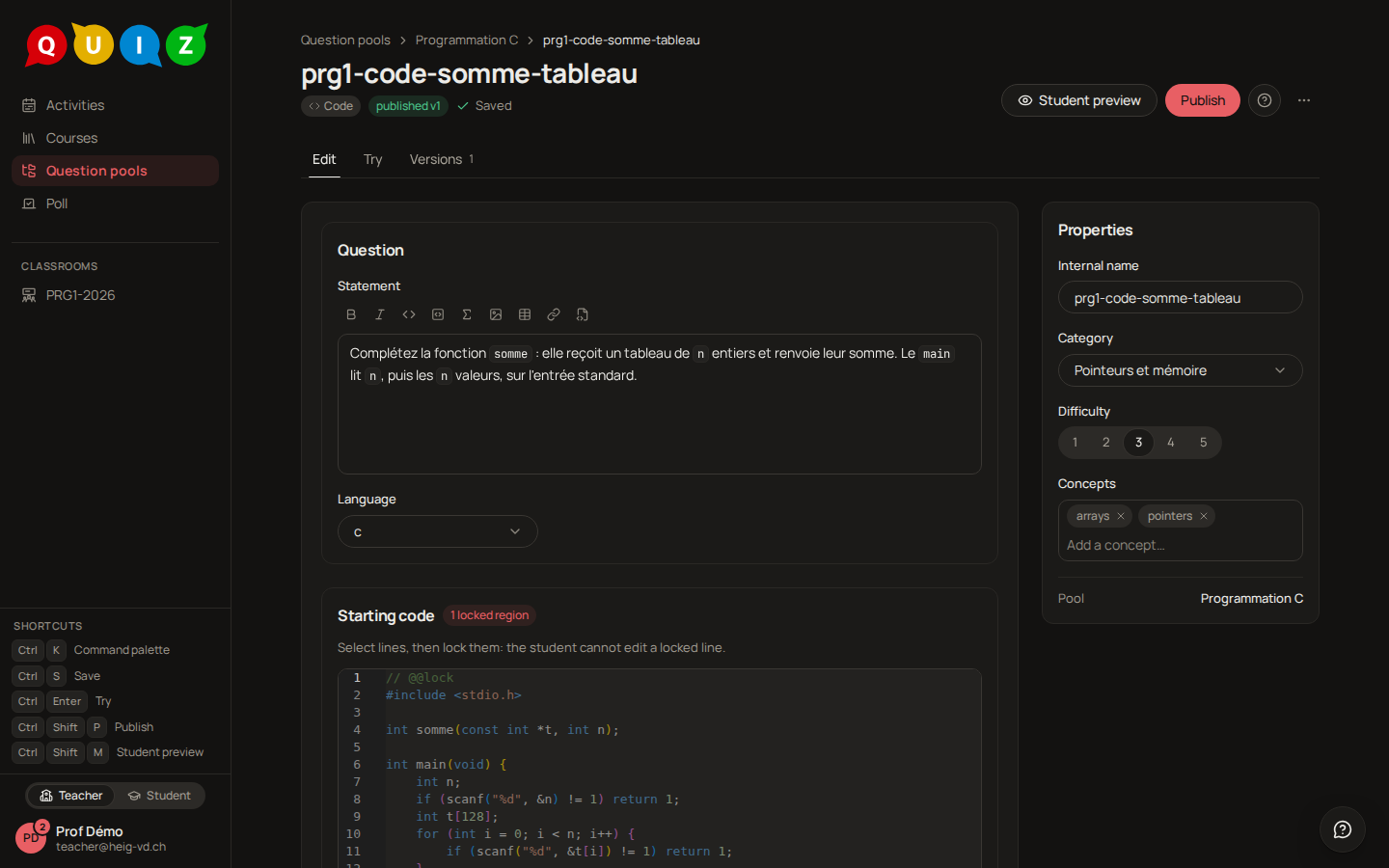
Language is one of c, cpp, python, js or rust. Run in decides where the student's Run button executes: The server (the default) or The browser, which is available for C and Python only.
Starting code is the template the student receives. The lines between a @@lock and an @@endlock comment are read-only; everything else is an editable region, and there can be several, one per function to complete. The badge counts the locked regions, and What the student can edit shows the split as the player will.
The Reference solution is your own answer to the editable regions, in their order, separated by a @@next comment line when there are several. Try the reference solution runs it against every case and reports how many pass, and the grading panel shows it beside every answer. A student sees it only if the evaluation has Show the expected answer on: at release, or right away in an exercise with immediate feedback.
Test cases is the list the program is checked against. Each case has:
- a Name, shown to the student when the case is visible;
- Arguments, one per line, handed to the program as its command line (
argv[1..],sys.argv[1:],process.argv.slice(2)), never through a shell; - stdin, what the program reads;
- Expected output and Compare the output, which can be switched off;
- Exit code, 0 by default, empty to accept any; a crash still fails the case;
- Hidden, Points and an optional Time (ms) for this case alone.
A case must check at least one of the output and the exit code. A visible case is shown to the student, command line and expected output included, and can be run before handing in; a hidden case runs only at grading, after the visible ones, and the player says only how many there are and what they are worth. In the feedback, a student sees whether each hidden case passed and, if not, only why in a word (Timed out, Out of memory, Crashed or Failed), never its input, its output or its exit code, unless you show the expected answer. The points of the question are the sum of the cases' points.
Advanced options hold the Action (Compile only or Compile and run), the Compiler arguments (shown to the student, like any extra file the question carries: every run uses them, so they never hold an answer), the Time limit (ms), Memory (MB) and Output (KB), the Runs per minute a student may spend, All or nothing, and the Output comparison: Ignore trailing whitespace, Ignore case, and a Numeric comparison with an Epsilon for programs that print floating-point results.
The trial run and the grade
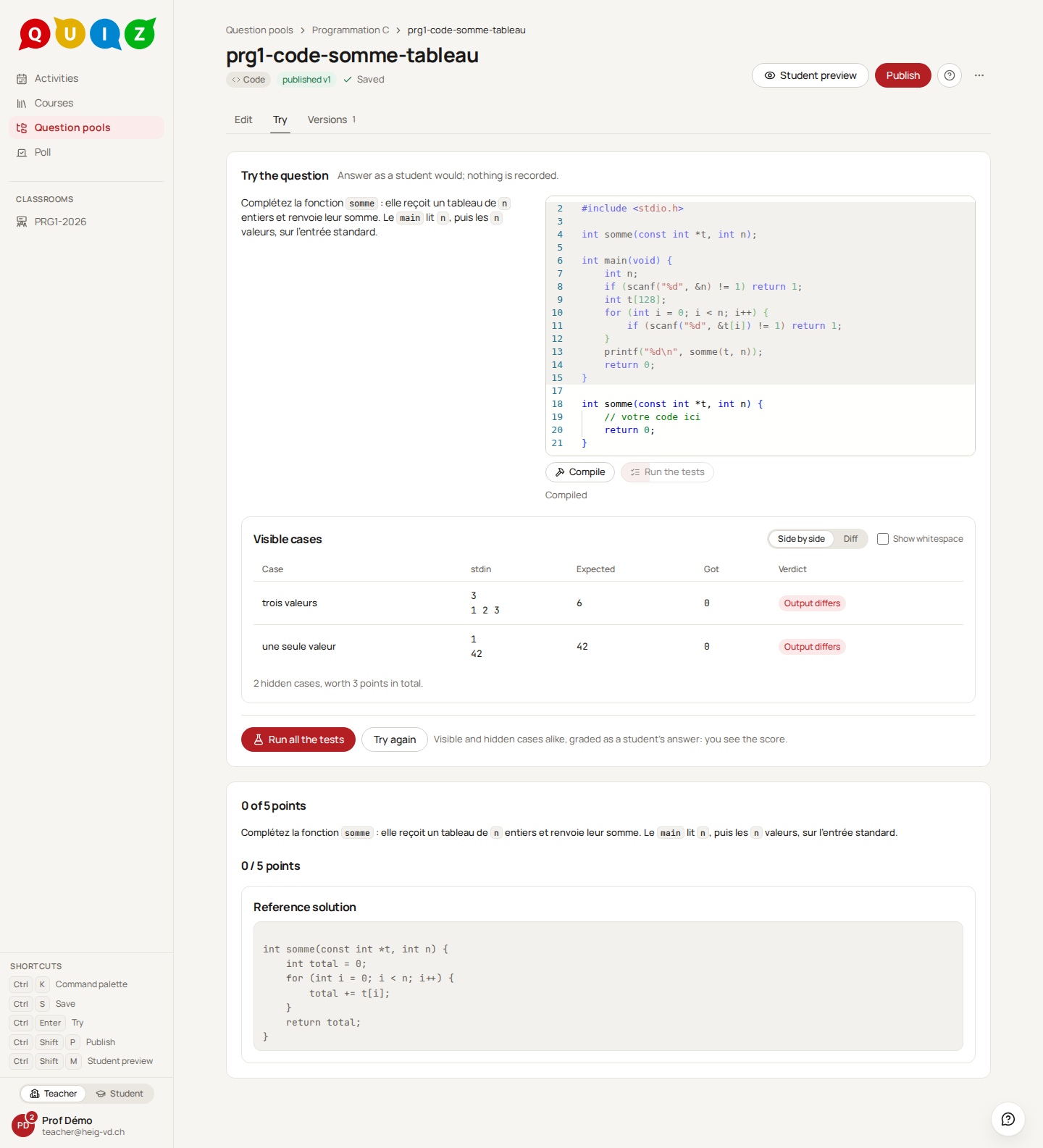
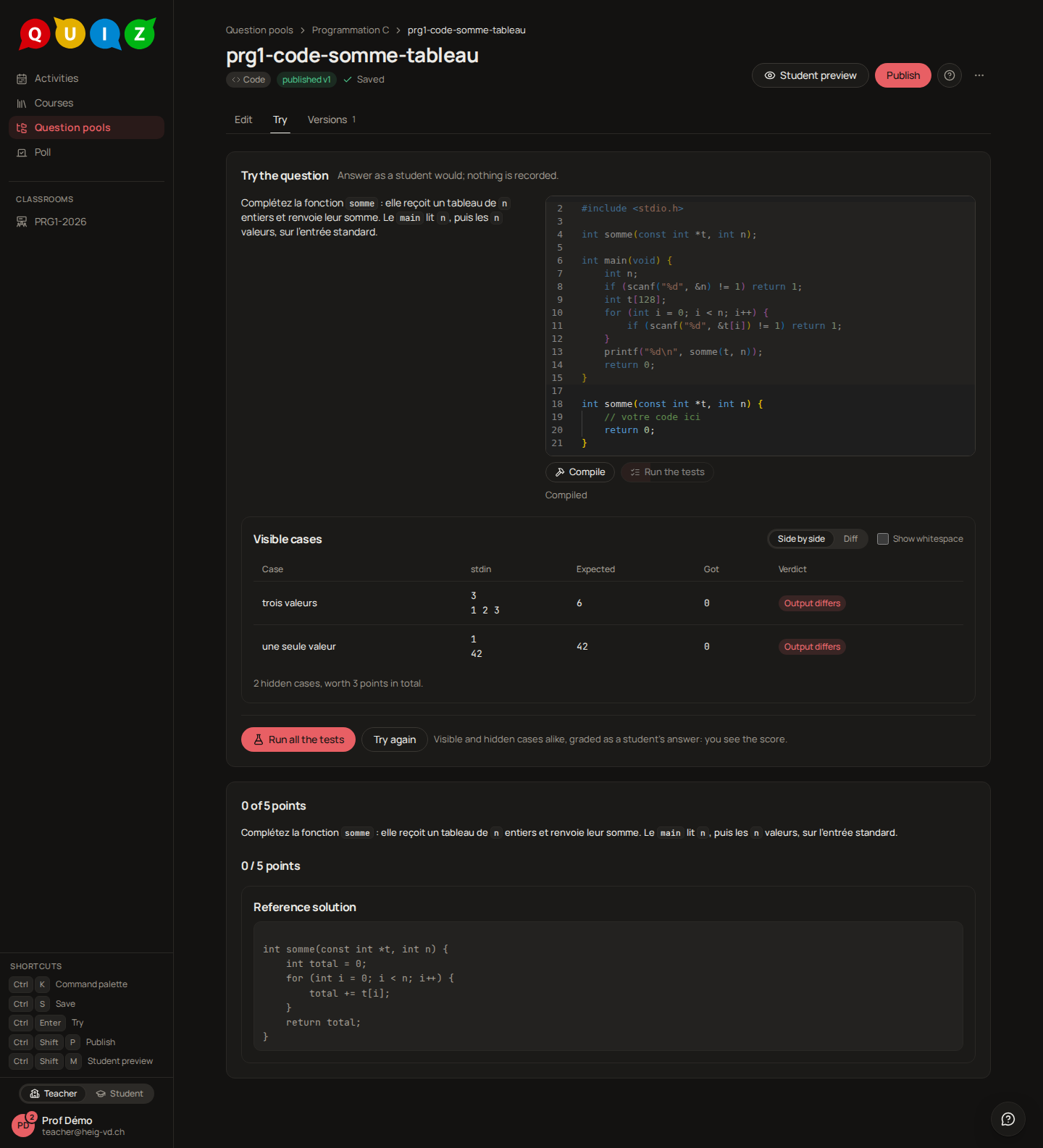
Run compiles the program and runs the visible cases. Compiled means the compiler accepted the program; Compilation failed shows the compiler's output instead. Each case then gets a verdict: Passed, Output differs, exit 1 ≠ 0, Timed out, Out of memory or Crashed. A case fails first on an accident, then on any enabled check that does not hold.
Where that run executes depends on Run in. On the server, it goes through the code runner. In the browser, it runs inside the page: the first run downloads the language runtime once (Loading the language runtime… this happens once.), after which every trial is immediate and costs the server nothing. The player then says so, and reminds the student that the server grades.
The grade is always the server's. At grading, the file is rebuilt from your template and the student's editable regions, then compiled and run against every case, hidden ones included, in a sandboxed container with no network. The browser runtime is not Linux, so a trial that passes there can still fail at grading, which is why the player calls it a trial. Architecture describes the sandbox and the two runners.
Warning
A machine without a container engine has no code runner. There, Run on the server answers The runner is unavailable, and the grading pass leaves the answer waiting for a manual grade, with the message "The runner was unavailable; this answer is waiting for a manual grade." The teacher grades it from the grading panel, where the code and the reference solution are side by side.
What the student sees
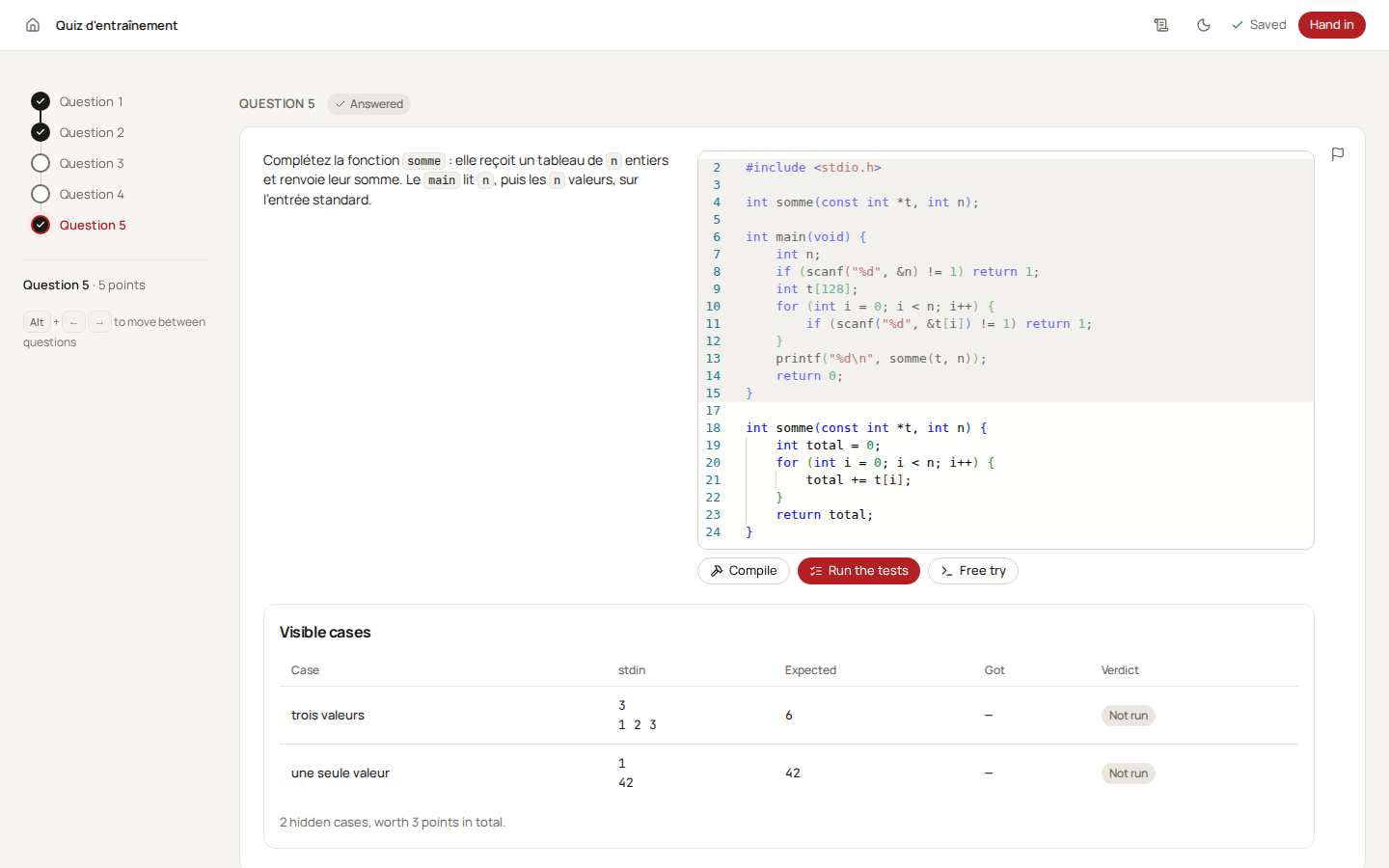
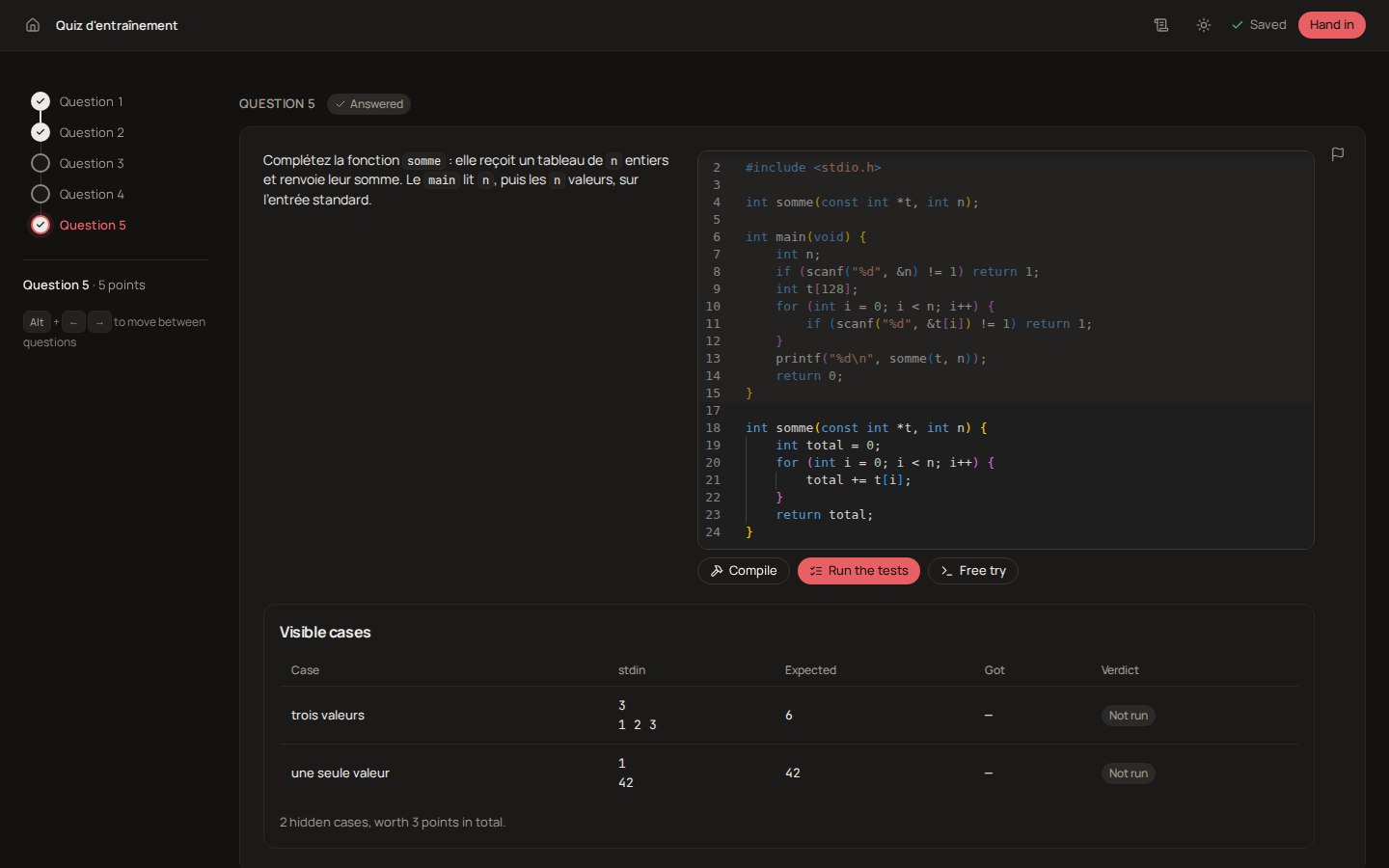
The statement (the language and the limits are not shown to the student), the locked part of the template greyed out, and a code editor for each editable region. Under it, Visible cases with a Run button, and Try it yourself for a run on the student's own Arguments and stdin, which nobody grades.
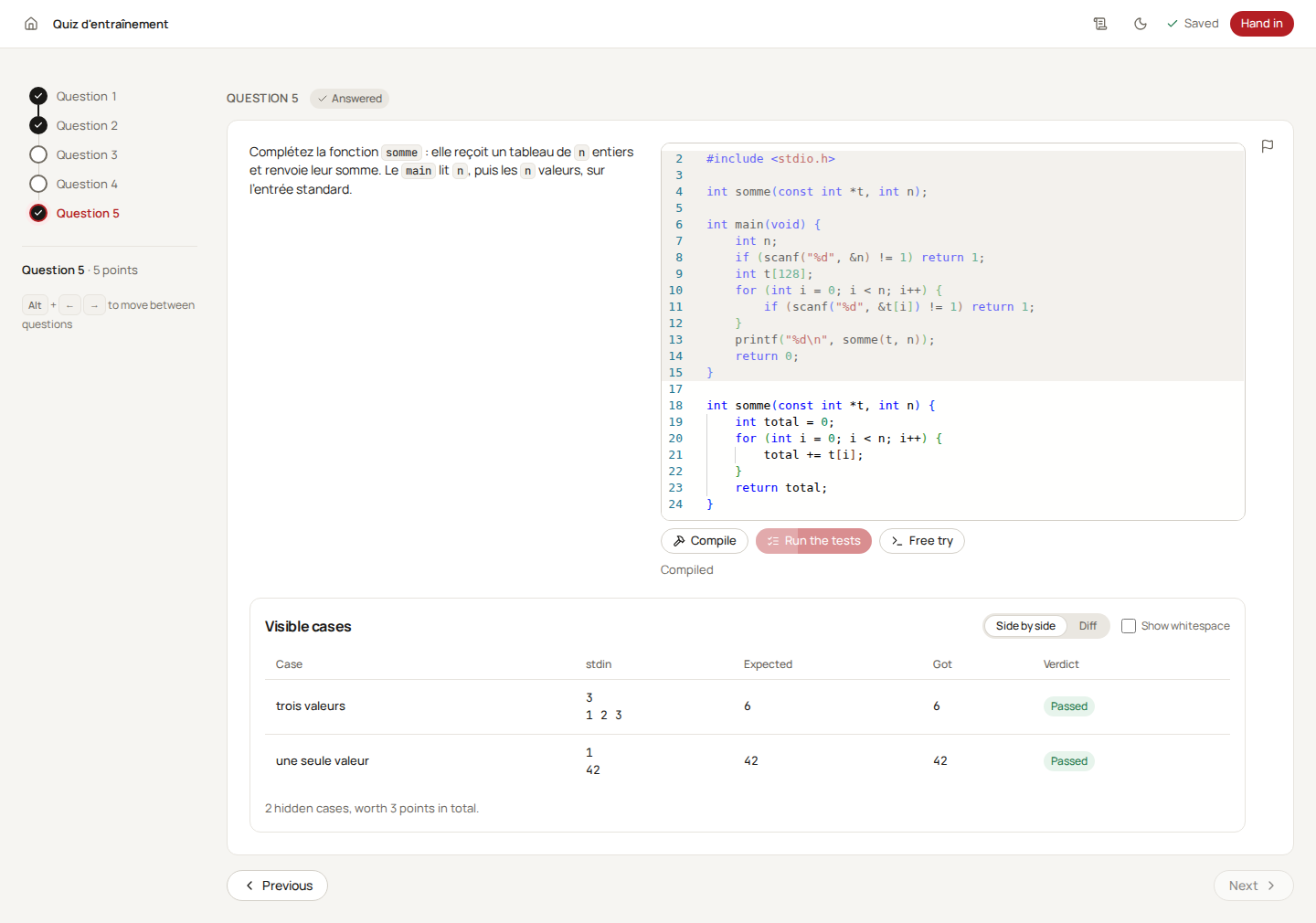
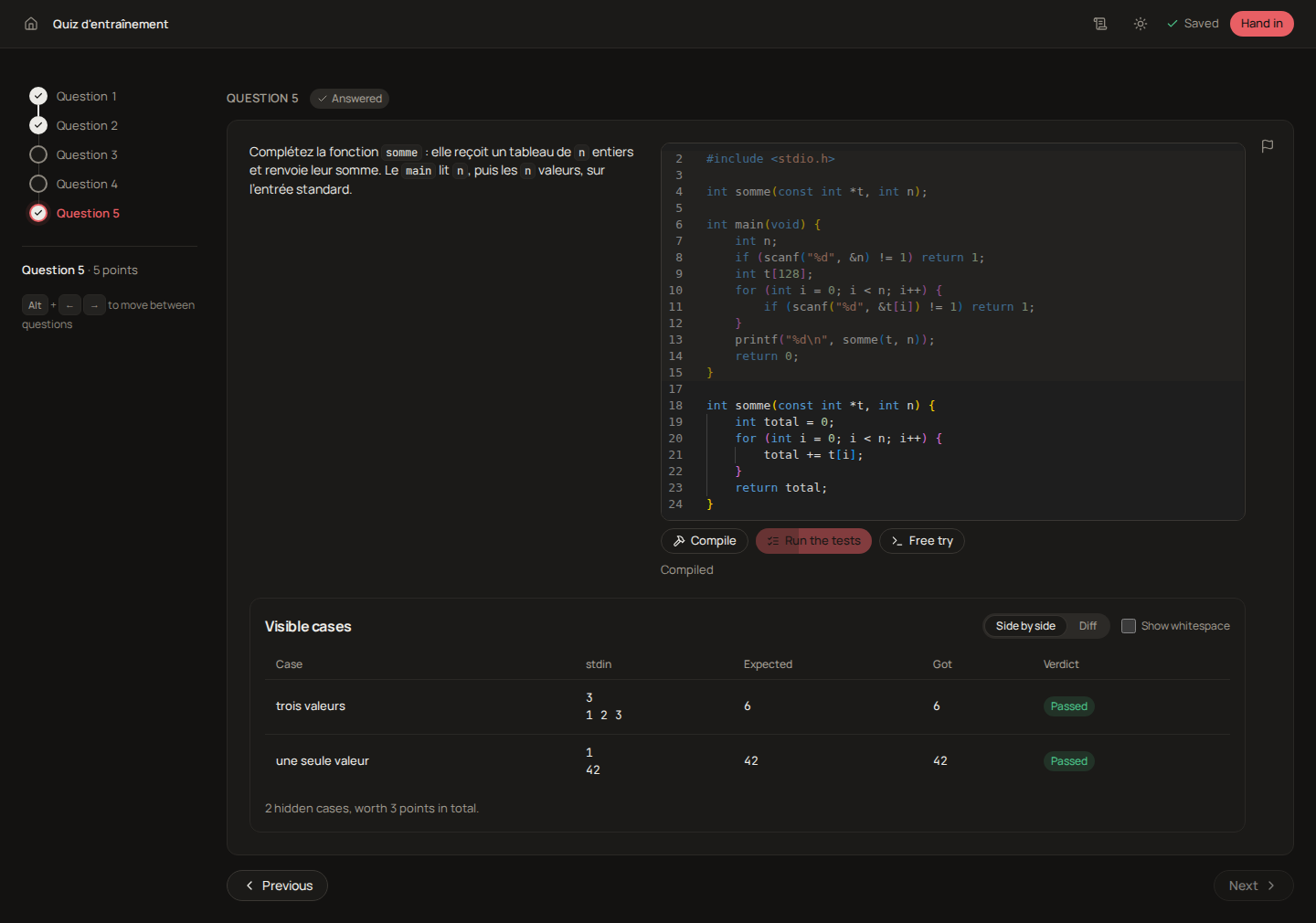
After Run, the table shows for each visible case its stdin, the expected output, the output obtained and the verdict, then how many hidden cases exist and what they are worth.
Tip
Give one or two visible cases that show the input format, and keep the discriminating ones hidden. Run Try the reference solution before publishing: a case your own solution fails is a case nobody can pass.
Categorize
For a question where the student sorts: cards to put into two to six labelled columns, such as C types under Integer, Floating point and Pointer, or the steps of a build in order. Some cards may belong nowhere: those distractors are meant to stay out.
The editor
You write the key on the same board the student answers on. Type each card in the tray (New definition, Enter to add), name the columns, then drag every card that belongs somewhere into its column. A card you leave in the tray is a distractor: there is no separate checkbox to disagree with where the card sits. Add a column appends one; removing a column sends its cards back to the tray. Two columns at least, six at most, and up to thirty cards. A card goes by drag and drop, with the keyboard (Space picks it up, the arrows carry it, Space drops it) or by clicking the card and then the column.
The options:
- Order matters: inside each column, the cards must follow the order of your key, which the editor shows as ranks.
- Shuffle cards (on by default): each student gets the cards in an order of their own.
- Shuffle columns (off by default): leave it off when the order of the columns means something, such as before, during, after.
- Scoring policy: Inherited by default, which takes the evaluation's; or Per card, or Exact.
How it is graded
With T cards that belong in a column, D distractors, n = T + D cards in all, and in the student's answer t cards at their place, x cards placed at a wrong place and p distractors placed:
| Policy | Score | In words |
|---|---|---|
| Per card | (t + D - p) / n |
every card is worth 1/n; a distractor left out counts as right |
| Exact | 1 if every card is at its place and no distractor is placed, else 0 | the whole board or nothing |
A question set to Inherited takes the policy chosen under the evaluation's advanced options (Categorize scoring), Per card unless you change it. An answer that places no card at all scores 0, whatever the policy: leaving every distractor out earns nothing on its own.
With Order matters, a card is at its place only in its column and at its exact rank. A card missing near the top of a column therefore moves every card under it off its rank; this is deliberate, so a student can check the rule by looking at the board.
Negative marking, when the evaluation turns it on, applies here as on multiple choice and replaces the policy: with k columns, a card in its column earns 1/T, a card in a wrong column or a placed distractor costs 1/(T·(k − 1)), and a card left in the tray is 0. Placing a card at random is worth nothing on average. The score goes from −1 to 1, and only the total of the attempt is brought back to 0.
What the student sees
The statement, a line saying whether the order matters, the tray of cards to sort, and the columns side by side under it. The student drags each card into a column, or clicks a card and then the column; with the keyboard, Space picks a card up and the arrows carry it. Put everything back empties the columns. The question reads Answered as soon as one card is placed. The student never sees which cards are distractors, nor your policy; under negative marking, the question says that wrong placements cost points. The live dashboard shows how many cards each student has placed, never where.
Tip
One distractor or two that a student with a precise misconception would place are worth more than many obvious ones: a distractor everybody leaves out only lowers the weight of the other cards under Per card.
Blocks
For a first program without any syntax: the student snaps blocks together to drive a warehouse robot from its start to the loading dock without hitting a rack. The program runs in several warehouses, some of them hidden, so a program that counts cells fails where one that reads the robot's sensors succeeds. It is graded like a code question, warehouse by warehouse, and needs no code runner.
The editor
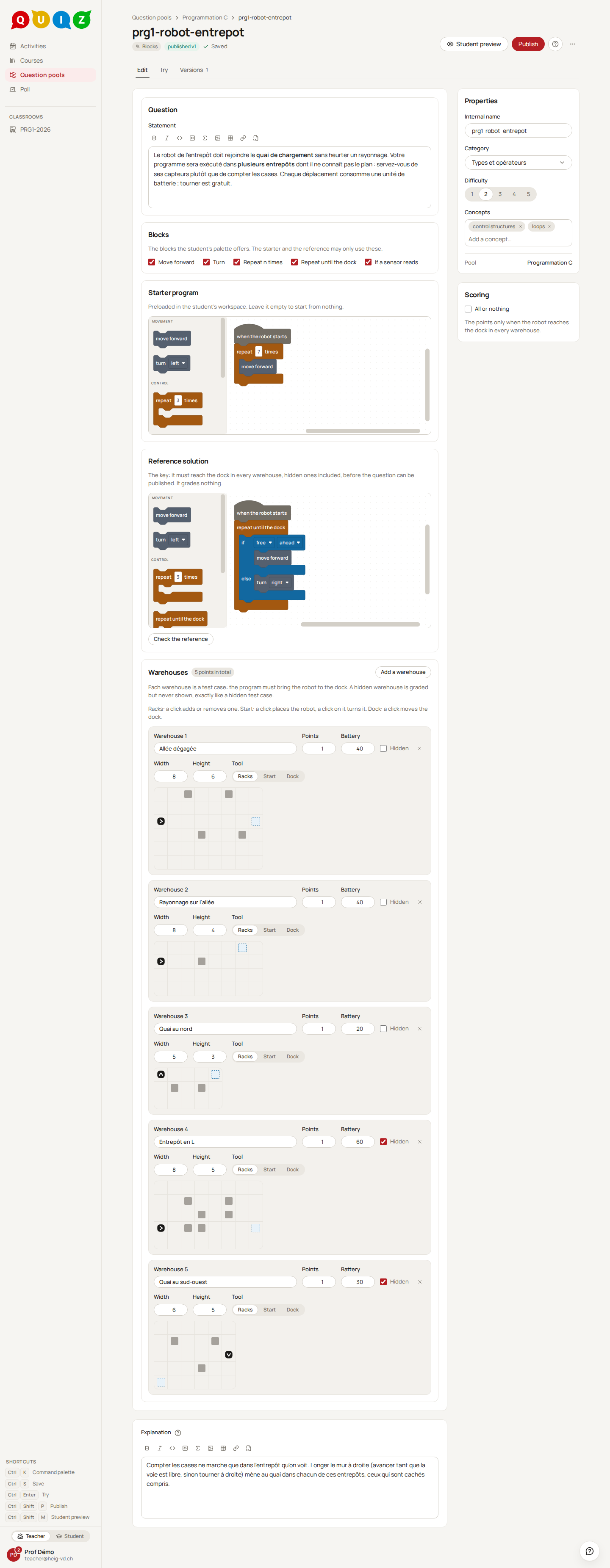
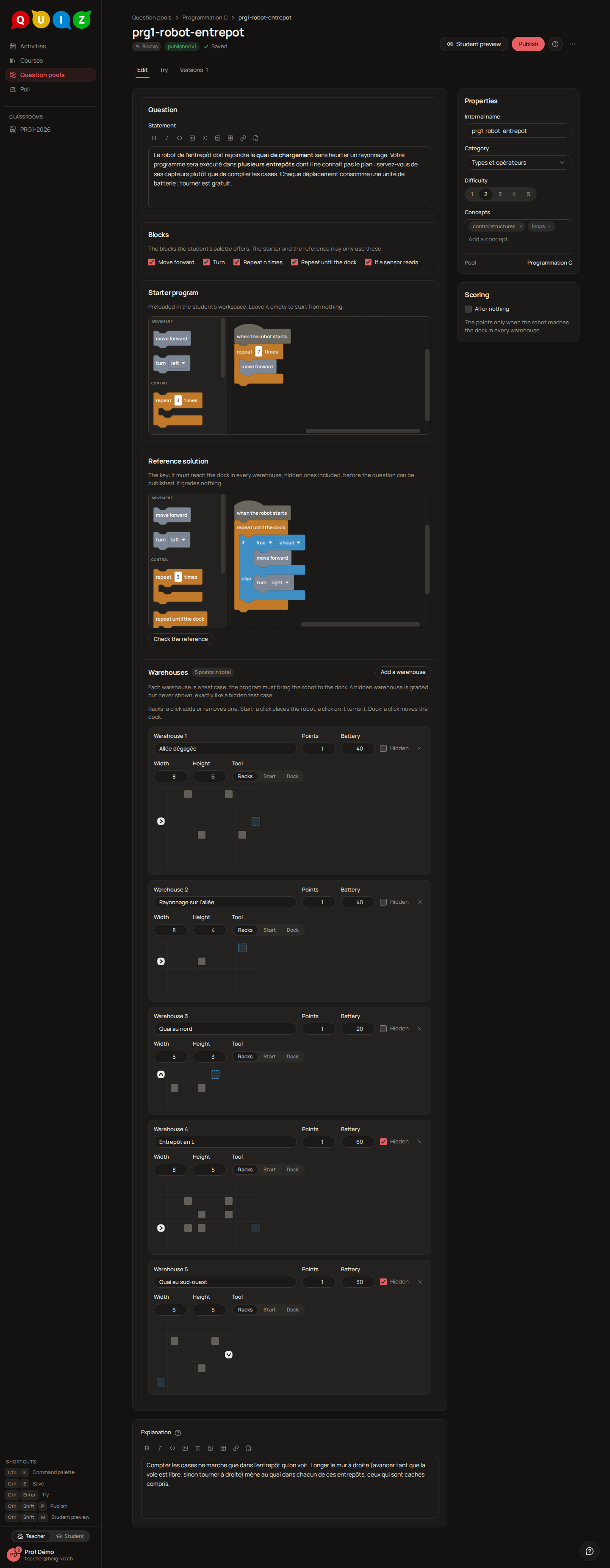
Blocks lists the five blocks the student's palette may offer: Move forward, Turn (left or right), Repeat n times, Repeat until the dock and If a sensor reads (the cell ahead, on the left or on the right is free or blocked, with an else branch). Untick the ones the exercise should do without: a first exercise without the sensor, say.
The Starter program is preloaded in the student's workspace; leave it empty to start from nothing. A student who hands it back untouched has not answered: the player says Unchanged starter: not an answer yet, and the question is graded as unanswered.
The Reference solution is your own program, assembled on the same workspace. It is required to publish, not to save a draft, and it must reach the dock in every warehouse, hidden ones included: publishing refuses a question whose reference misses one and names it. Check the reference runs it on every warehouse in your browser and says which ones it misses. The reference grades nothing; it is the key the student sees only if the evaluation shows the expected answer. The starter and the reference may only use the blocks you ticked.
Warehouses are the test cases, one to eight. Each has a Name, its Points, its Battery (the forward moves allowed, from 1 to 200; a turn is free) and Hidden. Width and Height go from 3 to 12 cells, and the grid under them is the map: with the Racks tool a click adds or removes a rack, with Start a click places the robot and a click on it turns it, with Dock a click moves the dock. Add a warehouse starts from a small corridor. All or nothing, under Scoring, gives the points only when the robot reaches the dock in every warehouse.
How it is graded
Each warehouse runs the program from the robot's start. A forward move costs one unit of battery, a turn nothing. A run ends in one of five ways: Dock reached, the only one that passes; Collision, the robot moved into a rack or out of the warehouse; Battery empty; Endless loop, the program kept running, turning or testing, far longer than its battery allows; Stopped short, the program ended elsewhere. The points of the question are the sum of the points of the warehouses whose run reached the dock, or all of them or nothing under All or nothing. The length of the path is never rewarded: a robot that wanders and arrives scores like one that goes straight.
The grade is computed the moment the evaluation closes and arrives validated: the server runs the same interpreter the player animates, so a warehouse passed in the browser is passed at grading. A program using a block you have since unticked is graded as an empty program.
What the student sees
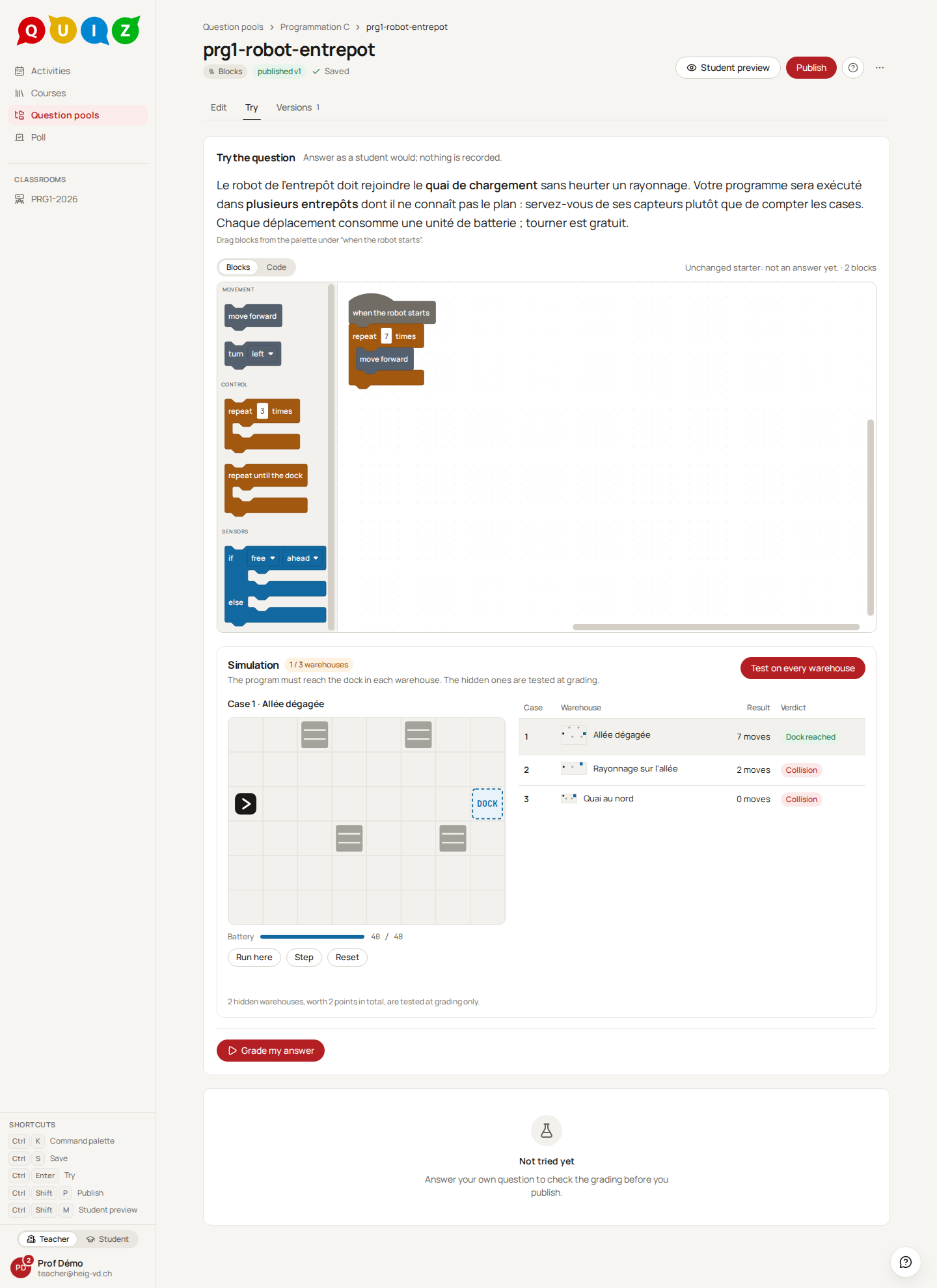
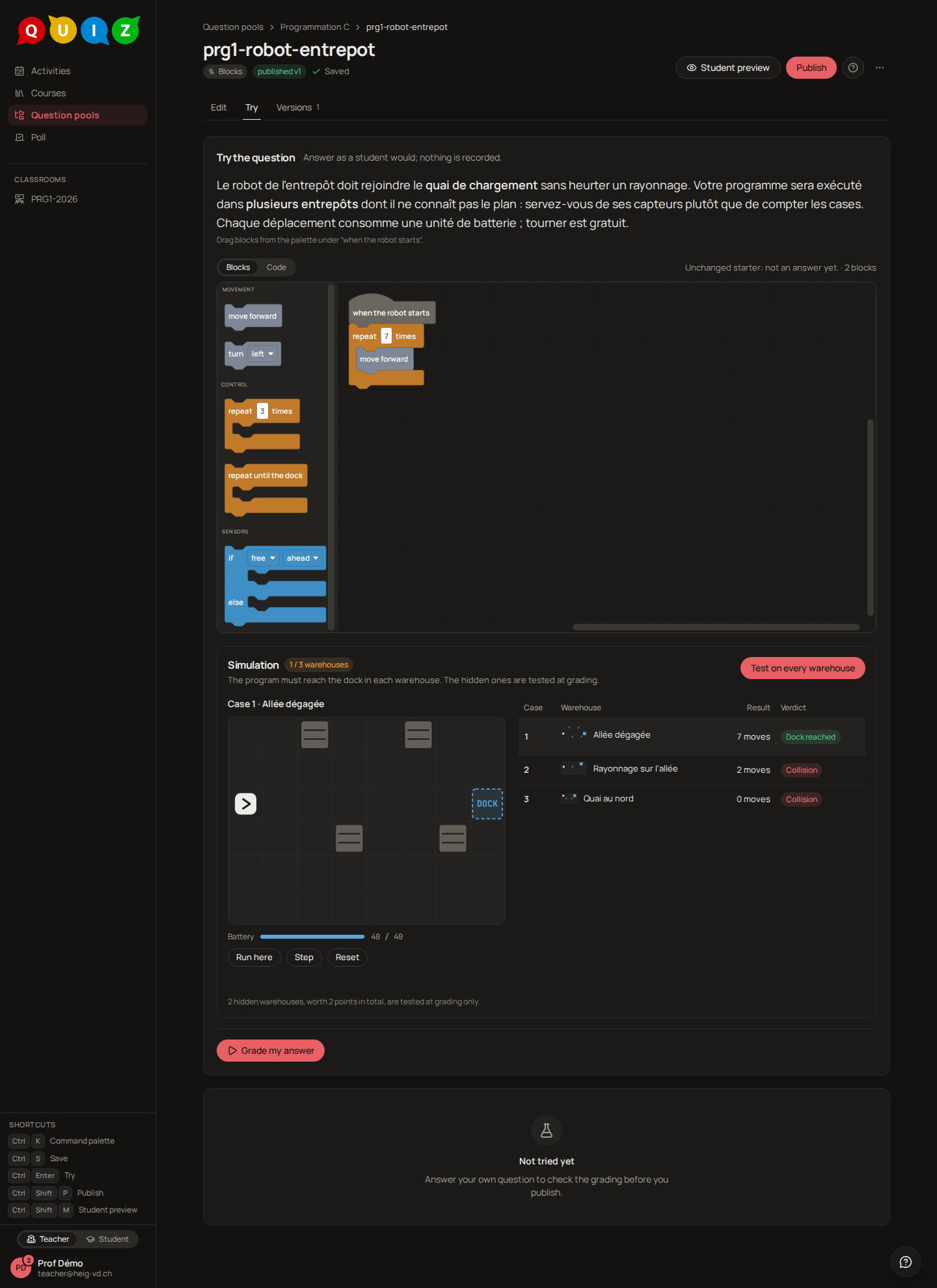
The statement, then the workspace: the palette on the left in three groups, Movement, Control and Sensors, holding the blocks you ticked, and the program assembled under the block when the robot starts. A block left apart from that stack is greyed out and not part of the answer. Blocks | Code above it switches to the JavaScript the blocks stand for, shown and never run; the block count sits at the right.
Under it, the Simulation card. Test on every warehouse runs the program on the visible warehouses in the browser and fills the table: Case, Warehouse with a thumbnail, Result in moves and Verdict. The map shows the selected warehouse with its battery: Run here animates the robot on it, Step advances it one move or turn at a time and Reset puts it back. The foot of the card says how many hidden warehouses there are and what they are worth; they run only at grading.
In the feedback, a visible warehouse shows its verdict, its moves and the path the robot took. A hidden one shows only whether it passed and, if not, why in a word (Collision, Battery empty, Endless loop, Stopped short), never its map nor the path, unless the evaluation shows the expected answer: then the hidden maps and the reference appear too. The live dashboard shows how many blocks each student has assembled, never a verdict, and its tooltip spells the program.
The workspace can be driven from the keyboard, with Blockly's own keyboard navigation. Like a code question, the type is made for a computer: on a phone it works, but not comfortably. A blocks question can be used in drill, not in a poll.
Tip
Make at least one hidden warehouse that a program counting cells fails, such as a rack on the straight line: that is what makes the student use Repeat until the dock and the sensor. Run Check the reference after every change to a map.
Its full rules are in the specification, 4.17 Blocks.
Comparison
| Type | Auto-graded | Partial credit | On a phone | Typical use |
|---|---|---|---|---|
| Multiple choice | yes | yes, with a policy | yes | a concept check, a poll, a quick recall |
| Short answer | yes | yes, per matcher | yes | a keyword, a computed value, a date |
| Fill in the blanks | yes | yes, per blank | yes, with short blanks | complete a sentence, a formula or a line of code |
| Code | yes, on the server | yes, per case | not comfortably | write or complete a function against test cases |
| Categorize | yes | yes, per card | yes, by clicking | sort terms into groups, put steps in order |
| Blocks | yes | yes, per warehouse | not comfortably | a first algorithm: loops, conditions, sensors |
| Essay | no: you validate, from an AI proposal when a model is configured | yes, your points | yes, for a short text | explain, argue, describe in a few paragraphs |
| Math expression | yes | yes, per accepted answer | yes, with the on-screen keyboard | a formula: an equivalent resistance, a derivative, a transfer function |
More types
Five more types are available, each with its editor, player and grading:
- Code with image: a code question whose program prints a picture, compared pixel by pixel with the target you produce by running your reference solution. It shares the code question's editor for the program half.
- Circuit: the student wires components inside a two-port box on a grid, and the schematic is graded by simulating it with ngspice and comparing its output with the one you expect. Each stimulus is either a waveform in time or a frequency sweep: a sweep draws the Bode plot of the output around a DC bias and passes when it stays within a few decibels (and degrees) of your reference's. As for a diagram, an Expand button opens the canvas over the page, for the student (under the remaining time, the save state and Back to the questions; on a screen narrower than a laptop, the drawing happens there) and for you over the Reference circuit (under its title, the save state and Close).
- Essay: the student writes a text, in a formatted field (bold, lists, code, formulas) or a plain one, which you choose per question. You can set a Character limit; the editor gives it in A4 pages (about 3,000 characters a page), and the student sees a counter under the field and cannot save past the limit. The Grading criteria are yours alone: a student never sees them, whatever the feedback settings. The optional Model answer reaches the student only if the evaluation has Show the expected answer on: at release, or right away in an exercise with immediate feedback. An essay is graded by you: after closing, every written answer waits in the grading panel as a proposal, the platform's language model's when one is configured (Essays, diagrams and AI proposals), else 0 points, shown beside your grading criteria and model answer; you set the points and validate. The dashboard shows how many characters each student has written, never the text itself. An essay cannot be used in a poll.
- Diagram: the student draws a diagram in the notation you choose, from a grid of eight: UML classes, use cases, state machine, entity-relationship, flowchart, finite automaton, graph, or free shapes. The kind is chosen while the question is a draft; changing it empties what you drew, after a confirmation, and it is fixed once the question is published. You draw the Reference diagram on the same canvas the student uses, or write it in the Text tab (PlantUML, Mermaid or Graphviz, depending on the kind), which updates the drawing as you type. A Starter diagram is optional: Copy the reference into the starter, then remove what the student must add. The reference and the starter each have an Expand button that opens the canvas, text tab included, over the page, under its title, the save state and Close. The student's toolbox shows the kind's elements as icons only, and an Expand button opens the canvas over the page, under a thin bar that keeps the remaining time, the save state and Back to the questions (on a screen narrower than a laptop, the drawing happens there). A diagram is graded by you: after closing, every drawn answer waits in the grading panel as a proposal, the language model's when one is configured, else 0 points, with the student's diagram above your reference and both text forms in two tabs, where a missing link reads at a glance; an answer left empty, or the starter handed back untouched, is a validated 0. The grading table shows how many elements and links each answer holds, and the dashboard the same figures. The reference reaches the student only if the evaluation shows the expected answer; the text forms and the grading criteria never do. A diagram cannot be used in a poll nor in drill.
- Math expression: the student types a formula in a math field — on a keyboard, or with the on-screen keyboard on a phone — and it is accepted in any equivalent form:
R_1 R_2 / (R_1 + R_2)and1 / (1/R_1 + 1/R_2)are the same answer. You declare the Variables the answer may use, each with the interval it is sampled in (R_1from 1 to 100), and the Accepted answers in the same math field, in order, each with its share of the points (the series mistake at 0.25, say): the first that matches wins. There is no algebra behind it: your answer and the student's are evaluated at a few points drawn in those intervals (Sample points, ten by default) and must agree within the Tolerance (relative;1e-6for an exact formula,0.01to let a rounded constant through), so the interval is part of the question —√(x²)isxon positive values only. Forbidden functions are told to the student while typing, as is the Max length. With one variable, a Graph draws the student's expression as they type; With target draws the curve of your first accepted answer behind it, which gives away its values, never its formula. The student sees the variables under the field and, as they type, Read as with the expression as it was understood, or what is wrong with it (an unknown variable, a function not allowed, an unclosed parenthesis, a sum or an integral — the answer is a plain expression of the variables): a slip of syntax is never graded as a mistake. An answer still unreadable at the close is scored 0 and shown to you as Not readable in the grading panel, where you may override it.logis base 10,lnnatural, angles are in radians, ande,iandpiare constants, not variable names. A math expression cannot be used in a poll nor in drill, and takes no random values yet.
Their full rules are in the specification, 4.8 Rich answer, 4.9 Code image, 4.11 Schematic, 4.14 Diagram and 4.16 Mathematical expression.
Planned types
The specification announces more for later phases. None is available today:
- Diagram graded with help: a proposal computed per kind (the equivalence of two automata, the vertices and weights of a graph, the classes and links matched by name), which you validate.
Random values in a statement are available on multiple choice, short answer and fill in the blanks: see Parameterized questions.